


Budget
See the budget of a project by work head, with the amount, the margin and the spending limit, and switch between budget revisions.
- Where to find it
- Planning > Budget
- Who can use it
- People who have the View Budget permission. Editing needs the Add or Edit Budget permission.
The budget is the money you plan to spend on a project. Superwise splits it by Head. A head is a group of work, such as "Shell & Core Works" or "Finishing Works". Each head has an Amount, a Margin and a Limit. Use this page to check the budget of the project you work in.
A bill of quantities (BOQ) is the list of work items with quantity and rate for a project. The budget is different. It is one amount for each head, set before the BOQ is final.
Before you start
- Choose the project in the project list at the top of the screen. The page shows the budget of that project.
- A budget must exist. Someone with the Add or Edit permission creates it. See How to edit the budget.
How to see the budget
- Open Planning > Budget.
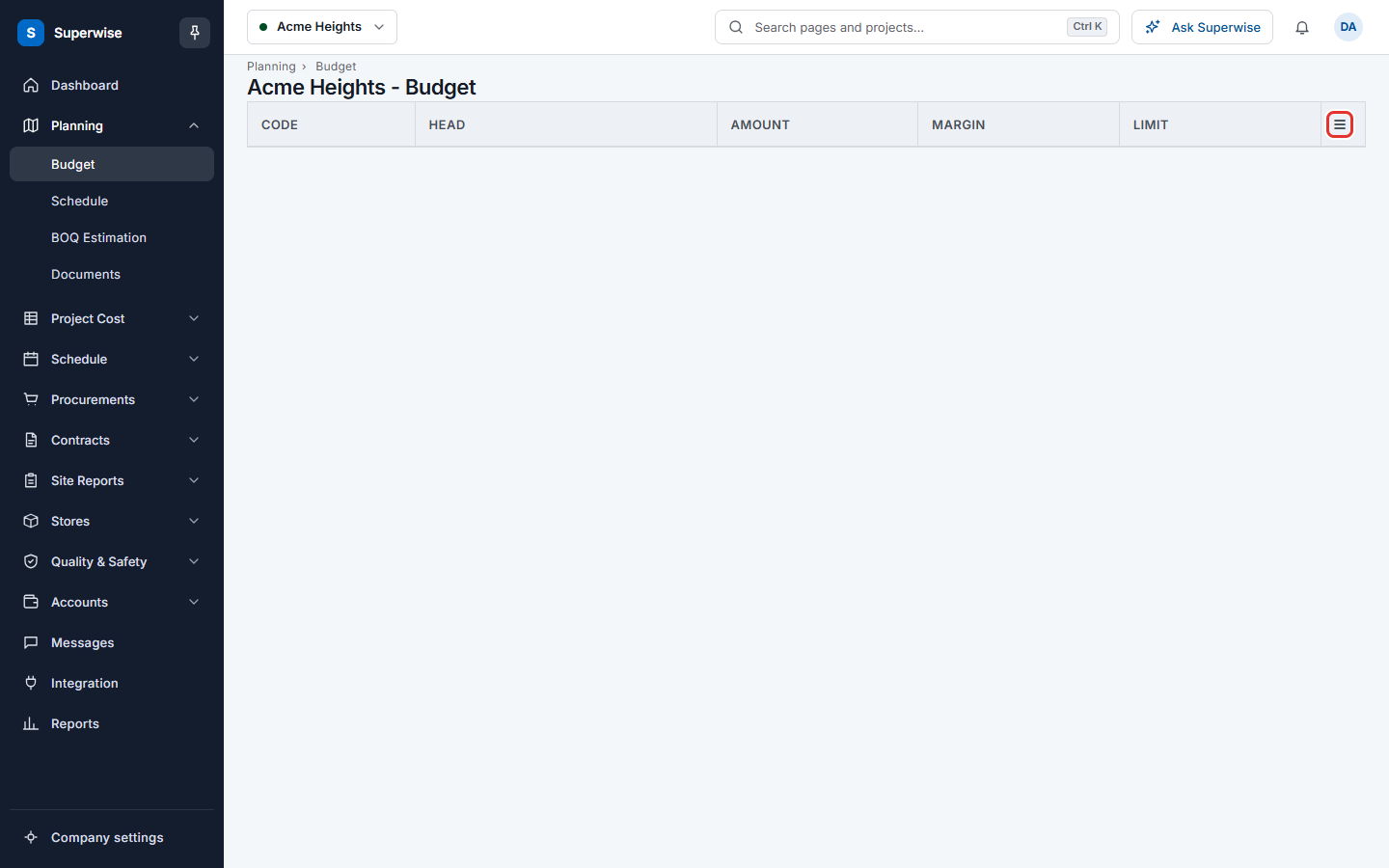
- Read the table. Click the arrow at the start of a row to open the heads under it.
How to see an older revision of the budget
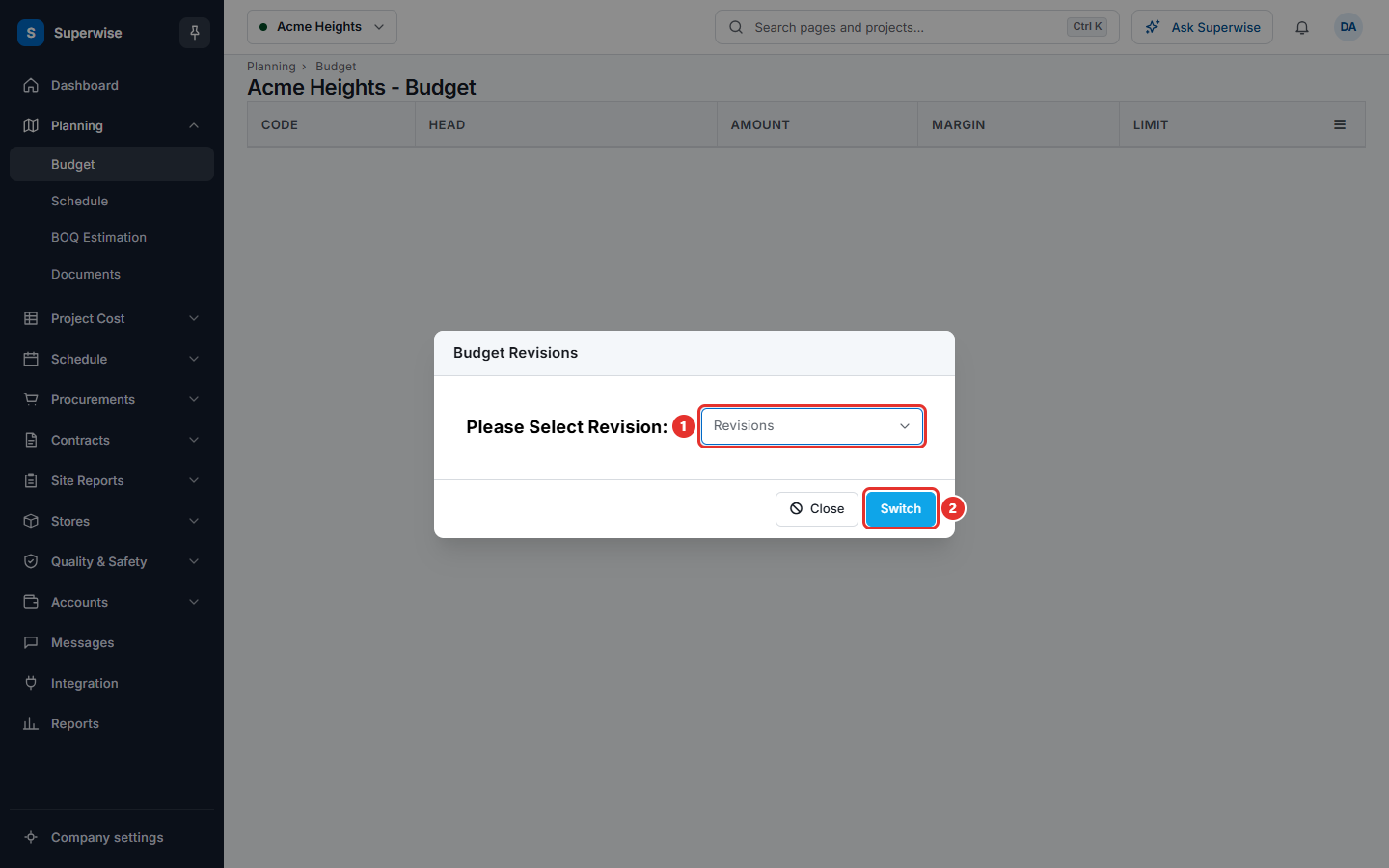
Every time an approved budget is saved again, Superwise keeps the old version as a revision. Revisions are named R1, R2 and so on.
- Click the menu icon in the table header (mark 1 in the picture above).
- Click Revisions.
- In the dialog Budget Revisions, open the list Revisions and choose a revision.
- Click Switch. The table shows that revision.
- To leave the dialog without a change, click Close.
What the columns mean
| Name | What it means |
|---|---|
| Code | The code of the head, for example 3 or 3.1. A code with a dot is a sub head of the head before the dot. |
| Head | The name of the head. |
| Amount | The money planned for the head. The amount of a main head is the sum of its sub heads. |
| Margin | The extra percentage you allow above the amount. |
| Limit | The most you allow to spend on the head. It is the amount plus the margin. An amount of 1,000 with a margin of 10% gives a limit of 1,100. |
Rules to know
- The table is read only. To change a number, use Edit in the table menu. The menu shows Edit only to people who may edit the budget.
- Saving an approved budget again creates a new revision. The older version stays in Revisions.
If something goes wrong
| What you see | What to do |
|---|---|
| The table is empty. | No budget exists for the project, or the wrong project is selected. Check the project name at the top, then ask a person with edit rights to add the budget. |
| Could not load the budget. Please Try Again Later. | Reload the page. If the message stays, tell your administrator. |