


Lost and damaged tools and material
See the tools and material that were lost, damaged or missing on arrival. Add a remark to an entry or delete an entry.
- Where to find it
- Stores > Lost/Damaged
- Who can use it
- People who have the View permission on Resource Transfers. Deleting needs Delete.
The Lost / Damaged list is the record of stock that disappeared. An entry is written in two ways. When a site receives less than the sender sent, the difference becomes an entry. When you report a lost tool on Tool Inventory, that report becomes an entry.
For example, Acme sends 10 tools and the other site receives 9. The list shows one entry with a lost quantity of 1.
Before you start
- Select the project in the project selector at the top of the screen.
- Entries come from other screens. See Tool transfers, Receive a material transfer and Tool inventory.
How to find an entry
- Open Stores > Lost/Damaged.
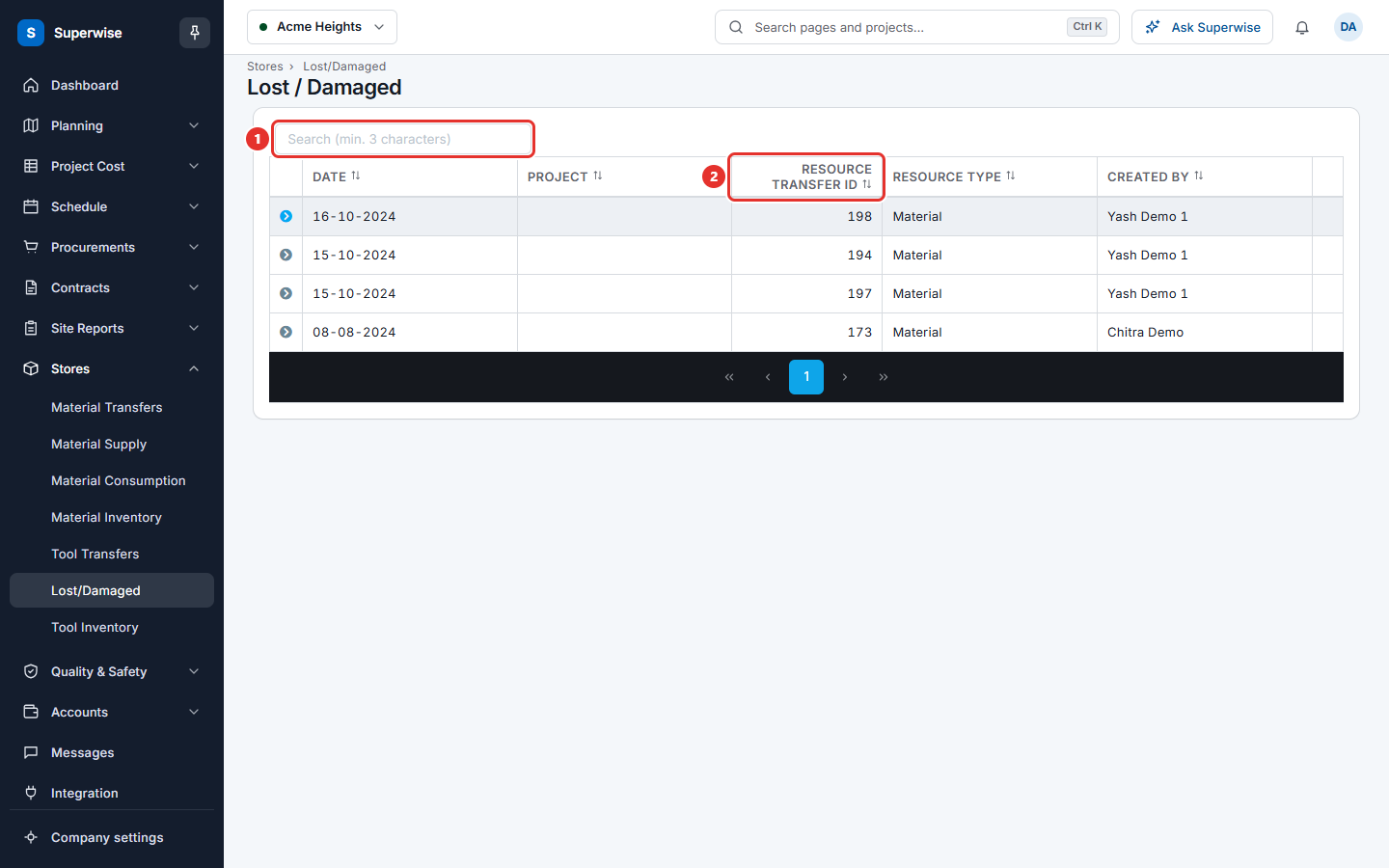
- Type at least 3 characters in the Search (min. 3 characters) box.
- Click a column name to sort.
How to read an entry
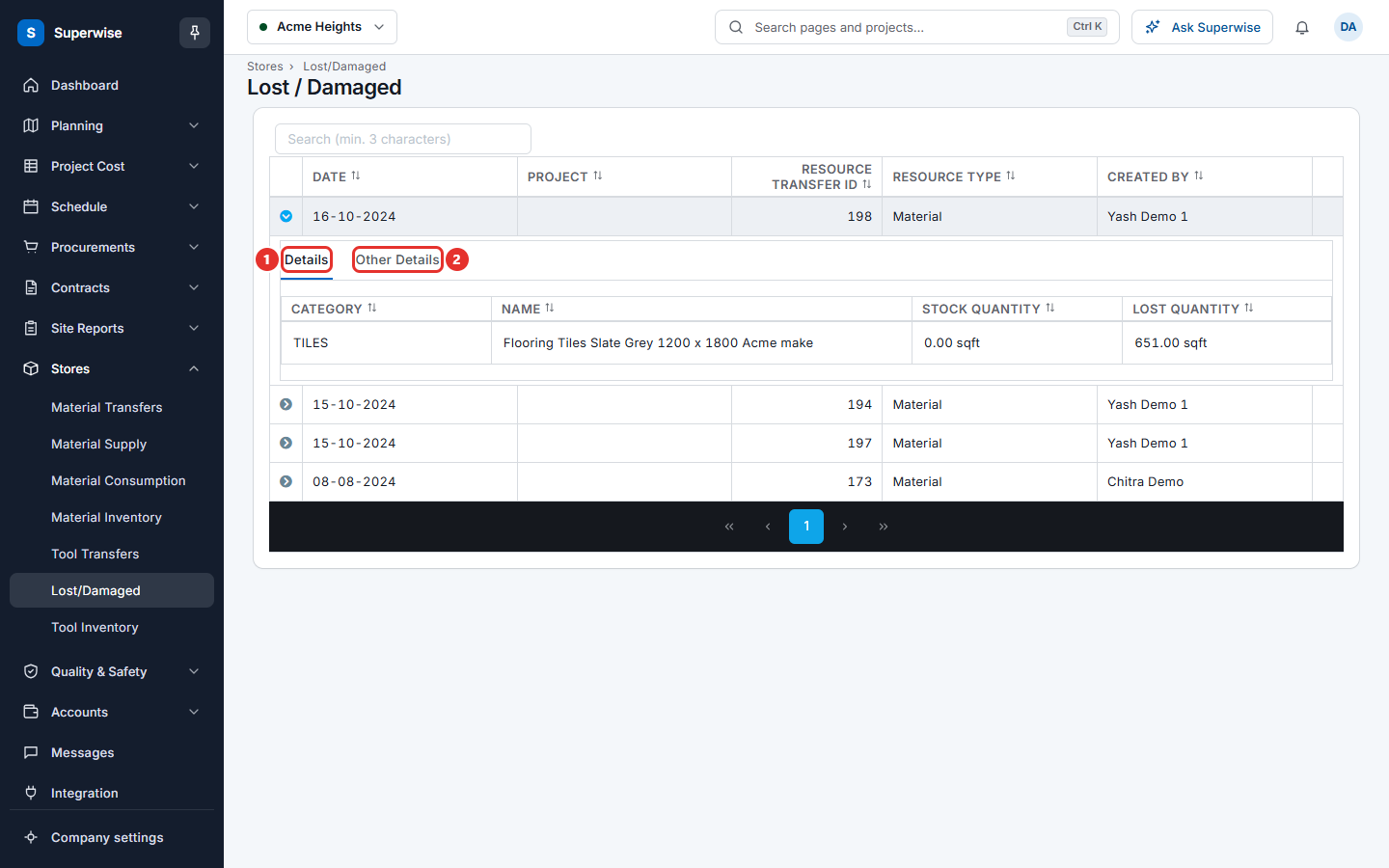
Click the arrow at the start of a row. The tab Details lists each item with Category, Name, Stock Quantity and Lost Quantity. The tab Other Details shows the Notes and the Comments of the entry.
How to add a remark
This works only for an entry without a transfer number. Entries that come from a transfer have no three-dot button.
- Click the three dots at the end of the row.
- Choose Add Remark.
- Type your text in the box.
- Click Confirm.
The remark shows in the Comments of the entry.
How to delete an entry
- Click the three dots at the end of the row.
- Choose Delete.
- Click Confirm in the Confirm Action box.
Warning: You cannot undo a delete.
What the columns mean
| Name | What it means |
|---|---|
| DATE | The day the entry was written. |
| PROJECT | The project where the stock was lost. It is empty for entries that come from a transfer. |
| RESOURCE TRANSFER ID | The number of the transfer that arrived short. It is empty for a loss that you reported on Tool Inventory. |
| RESOURCE TYPE | Tool or Material. |
| CREATED BY | The person who recorded the receipt or the loss. |
Rules to know
- Entries that belong to a transfer have no three-dot menu. You cannot add a remark to them or delete them here.
- Entries that you reported on Tool Inventory have the menu with Add Remark and Delete. Delete needs the Delete permission.
If something goes wrong
| What you see | What to do |
|---|---|
| There is no three-dot button on a row | The entry comes from a transfer. Open the transfer to see what happened. |
| Delete is missing | You do not have the Delete permission. |
| Record not found. | Someone already deleted the entry. Refresh the list. |