


Issue types
Set up the list of issue types, each with a category and a default priority, that site staff choose when they report a problem.
- Where to find it
- Company settings > Site Monitoring > Issue Types
- Who can use it
- People who have the View Other Masters permission. Adding, editing and deleting need the matching permission on the same master.
An issue is a problem reported on site, such as a delay or a defect. Each issue has a type. An issue type has a Category, such as Hindrance or Snag, a Title, such as Concrete not received, and a default priority. You create the list once. When someone reports an issue, they choose the type from this list, grouped by category.
Before you start
Nothing is needed first. Add the types your site teams use. Keep the category names short so the groups stay tidy.
How to add an issue type
- Open Company settings > Site Monitoring > Issue Types.
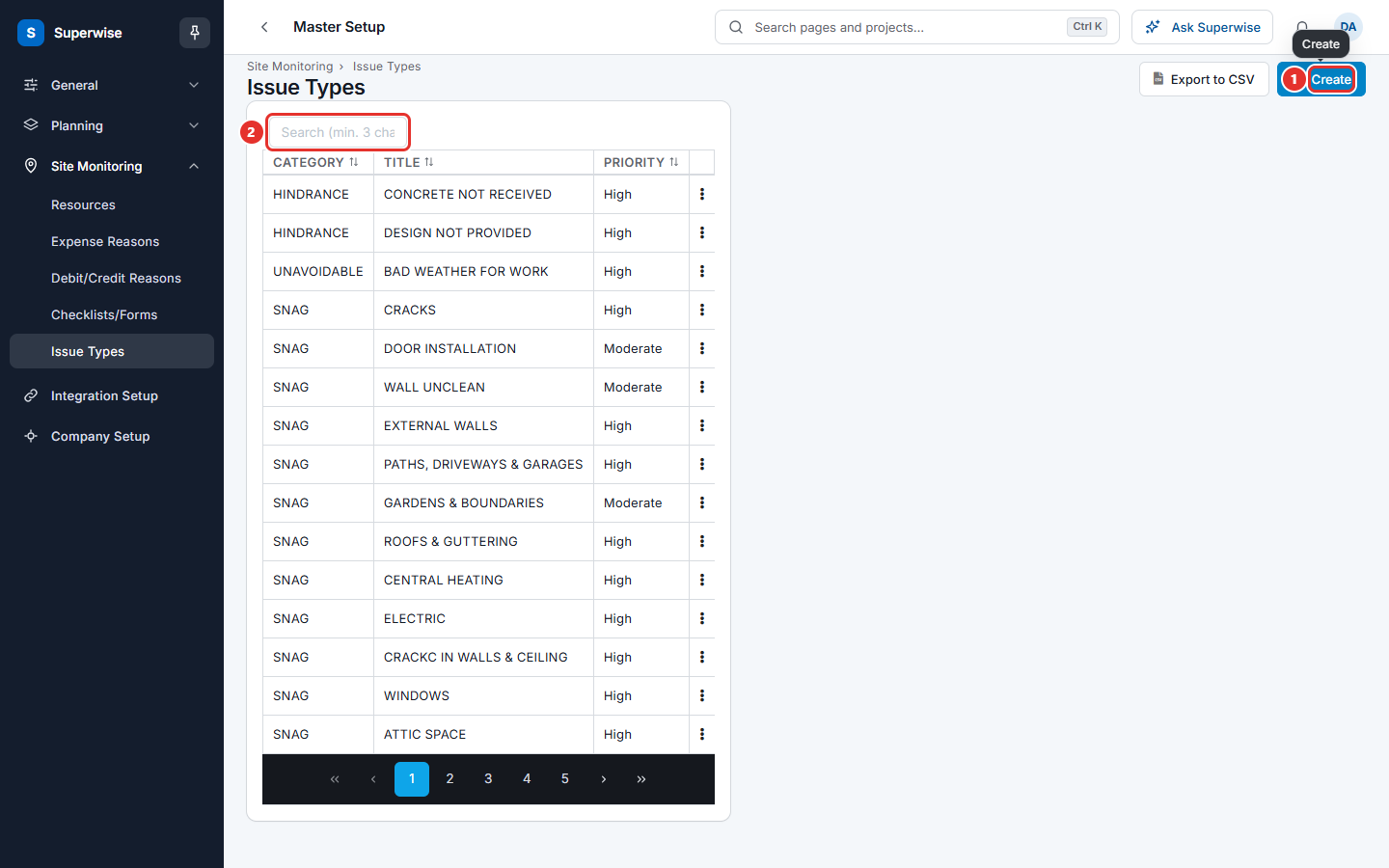
- Click Create (mark 1 in the first picture). A form opens at the side.
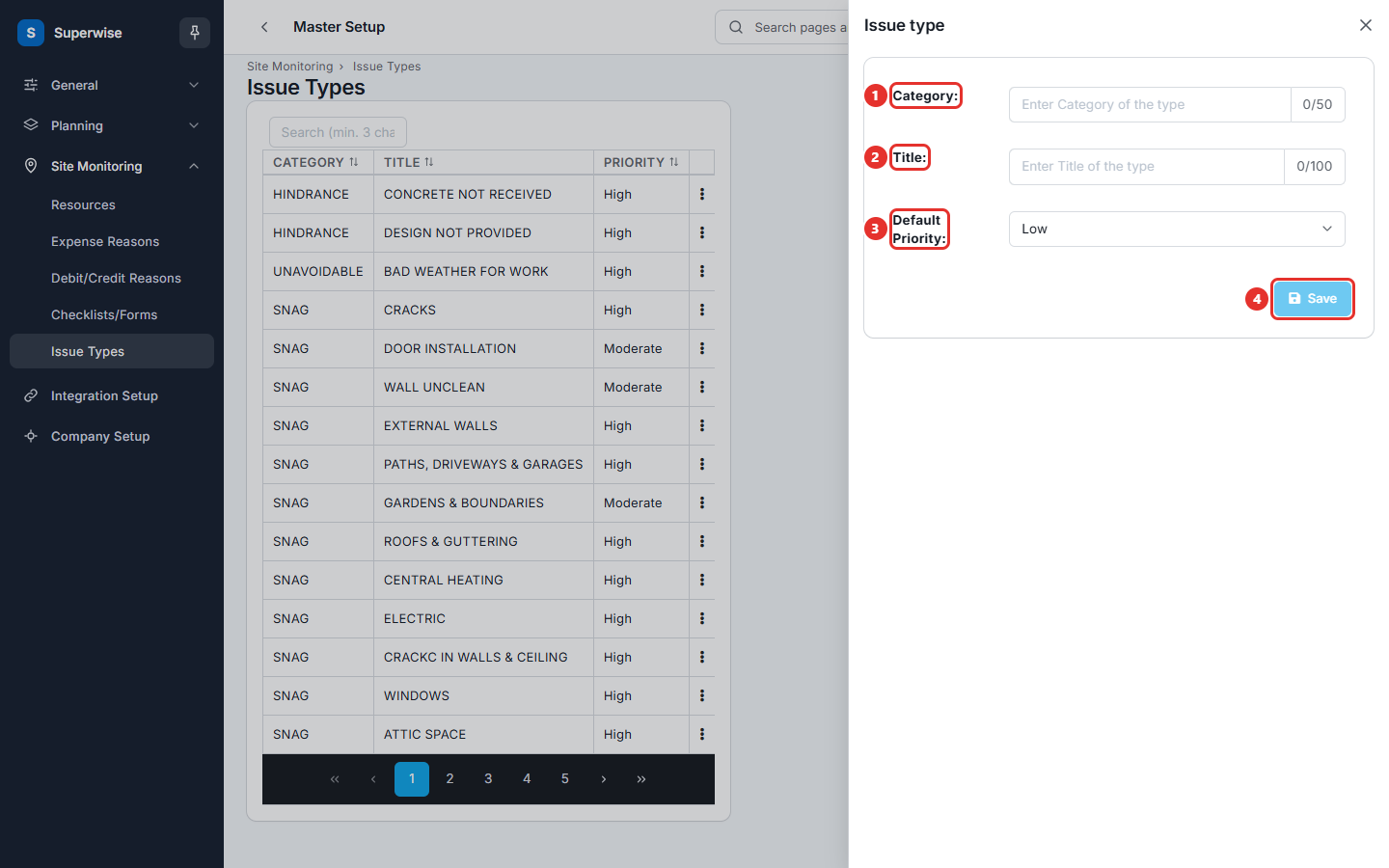
- Type the group name in Category: (mark 1 in the second picture). The limit is 50 characters.
- Type the name of the problem in Title: (mark 2). The limit is 100 characters.
- Choose Default Priority: (mark 3). The choices are Low, Moderate, High and Critical. The default is Low.
- Click Save (mark 4). The button stays grey until Category and Title are filled.
How to edit or delete an issue type
- Click the three dots at the end of the row.
- Click Edit to open the form again. Change the values and click Save.
- Click Delete and confirm the question Confirm the deletion of Issue Type?. Click Yes.
Type at least 3 characters in Search (min. 3 characters) (mark 2 in the first picture) to find a type. Click Export to CSV to download the list.
What the columns mean
| Name | What it means |
|---|---|
| CATEGORY | The group of the type. |
| TITLE | The name of the problem. |
| PRIORITY | The priority a new issue of this type starts with. |
Rules to know
- A title cannot repeat inside the same category. The system shows Duplicate Issue Type for the category.
- Category and Title are required.
- You cannot delete a type that issues use. The system shows One or more issues are linked to this issue type.
If something goes wrong
| What you see | What to do |
|---|---|
| Duplicate Issue Type for the category | Use another title, or use the existing type. |
| The Category field is required. or The Title field is required. | Fill both fields. |
| Issue Type cannot be deleted! | Issues use the type. Keep it. |
Related pages
- Site monitoring masters: the order to set up the site lists.