


Compare revisions of a quotation
See how one quotation changed from revision to revision: validity, delivery date, credit period, net amount and the rate of each material.
- Where to find it
- Procurements > Quotations
- Who can use it
- People who have the View Quotations permission.
A supplier can change a quotation after sending it. Each change creates a new revision. The screen Revision - Comparative puts the revisions of one quotation in columns, so you see what moved. It compares revisions of one supplier. To compare different suppliers, use Compare quotations of an RFQ.
Before you start
The quotation must have at least one revision. A quotation that was never changed after it was submitted has none. If it has none, the screen shows "This quotation has no revisions to compare."
How to open the comparison
- Open Procurements > Quotations.
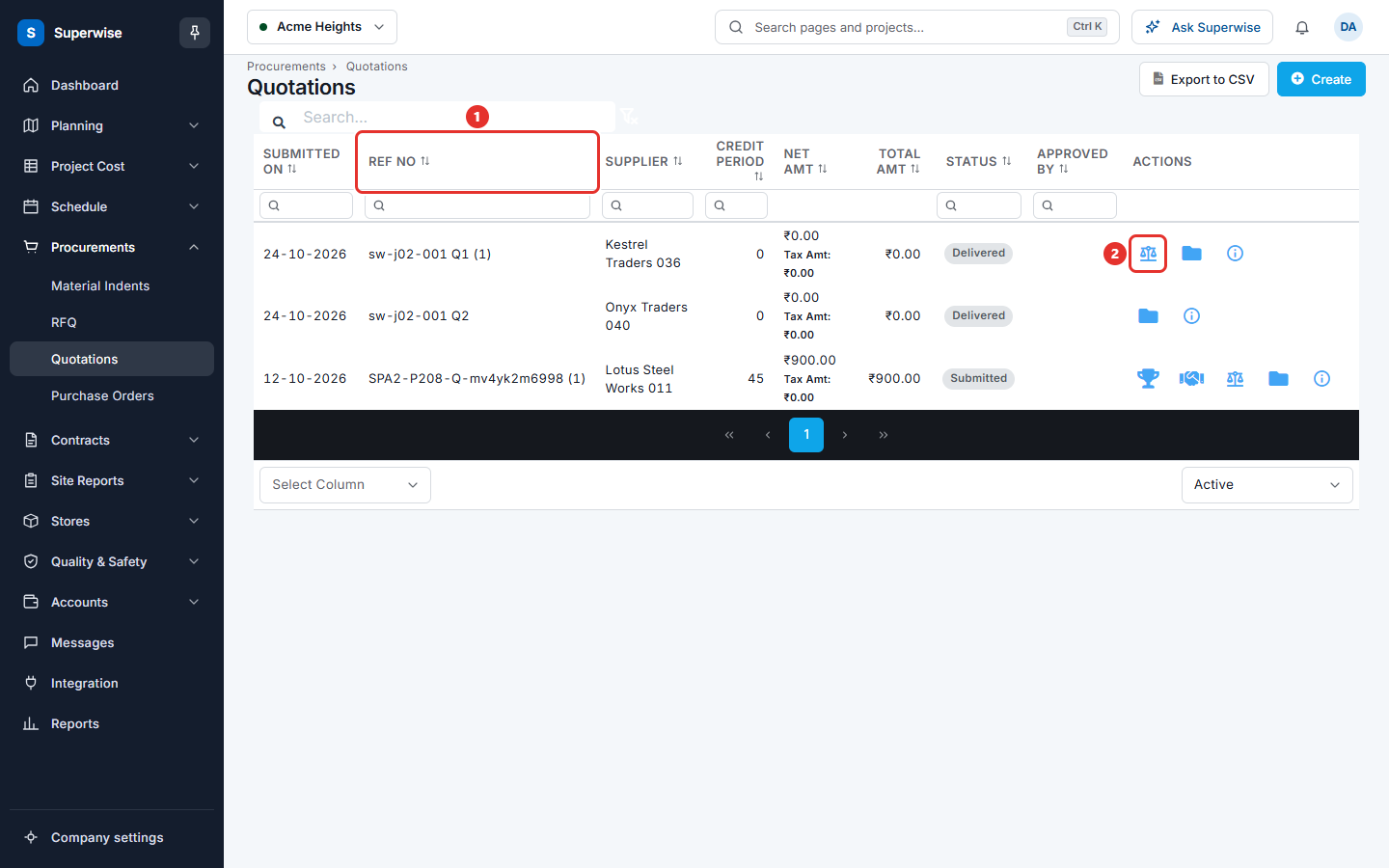
- Find a quotation whose Ref No has a number in brackets, for example "Q1 (1)".
- Click the Compare Quotation icon (mark 2 in the picture) in the Actions column.
How to read the table
The first column is Parameter. Then there is one column for each revision: Revision 0, Revision 1 and so on. The last column is the current state.
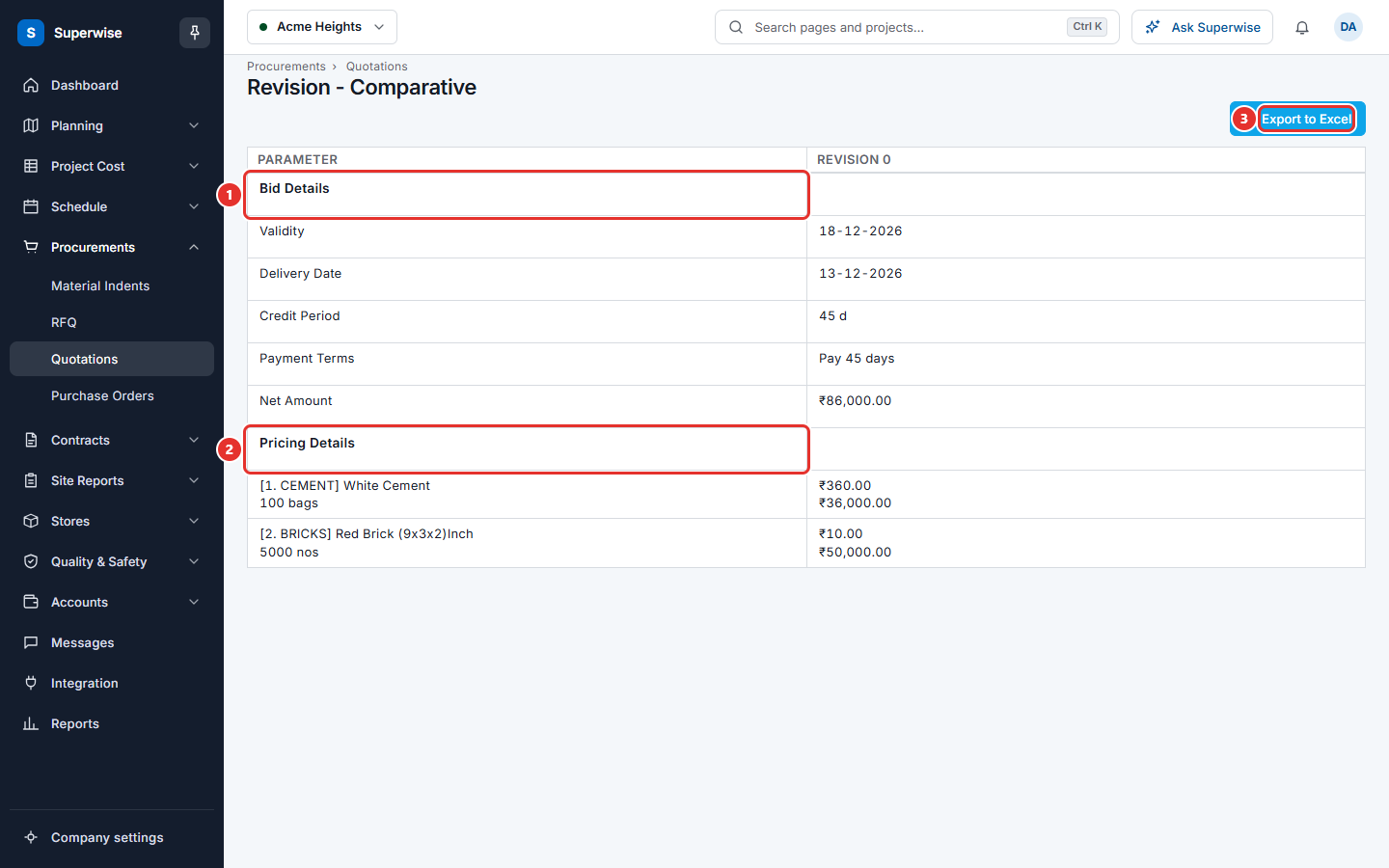
The table has two parts:
- Bid Details (mark 1): Validity, Delivery Date, Credit Period, Payment Terms and Net Amount.
- Pricing Details (mark 2): one row for each material, with its category, quantity, unit and specifications. Each cell shows the rate and the amount for that revision.
Next to a value, a small arrow shows the change from the revision before it. A red arrow means the change is worse for you. A green arrow means it is better. For dates and credit period the change is in days (d). For the net amount and the rates it is in percent.
A material that a revision did not quote has a dash or an empty cell.
How to save the comparison
Click Export to Excel (mark 3 in the picture of the table). The system downloads the same table as a file.
Rules to know
- Revisions are shown oldest first.
- The current state is shown as the last column when the quotation is Negotiating, Submitted, Awarded or Awarded to other.
- A change is calculated only when the revision before has a value above 0.
If something goes wrong
| What you see | What to do |
|---|---|
| This quotation has no revisions to compare. | The quotation was not changed after it was submitted. There is nothing to compare. |
| The Export to Excel button is grey | The table is still loading, or it is empty. |