Contract head
What a contract head does in Superwise each day, the screens to use most, and the order to follow on the first day.
- Who can use it
- People whose role lets them view and add RFPs, proposals and work orders. Each screen needs its own permission.
A contract head hires contractors and controls what they are paid. In Superwise you ask contractors to bid, compare the proposals, give a work order, and check the bills that come from the work.
What you do each day
- Send requests for proposal (RFP) to contractors.
- Compare the proposals that come back.
- Give work orders.
- Check the measured work in the measurement book.
- Check and approve the running account (RA) bills.
- Follow the payments.
The screens you use most

| Screen | Menu path | What you do there | Book |
|---|---|---|---|
| RFP | Contracts > RFP | Ask contractors to bid | RFP |
| Proposals | Contracts > Proposals | Compare the bids | Proposals |
| Work Orders | Contracts > Work Orders | Give and follow work orders | Work order |
| Measurement Book | Site Reports > Measurement Book | Check the measured work | Measurement book |
| RA Bills | Accounts > RA Bills | Check the contractor bills | RA bills |
| Payments | Accounts > Payments | Follow what is paid | Payments |
What to do on the first day
- Choose your project in the project picker.
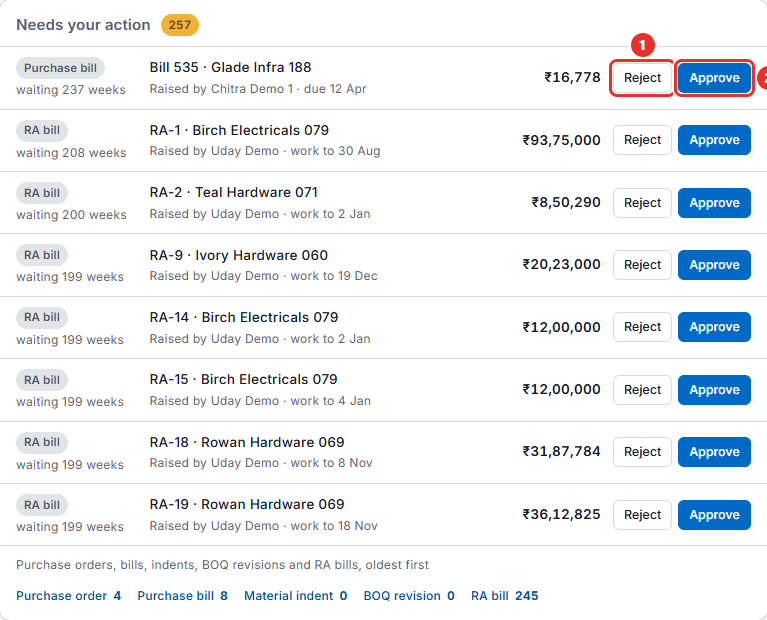
- Open the dashboard. In Needs your action, look for RA bill lines.
- Open Contracts > Work Orders and read the orders that exist.
- Open Contracts > Proposals and see the bids that wait for a decision.
- Open Accounts > RA Bills and read the latest bill.
- Open Accounts > Payments and see what is due.
- Read Approvals in plain words if you approve bills.