


BOQ by package
See the BOQ items of a project grouped by construction package, or the items that are not in any package.
- Where to find it
- Project Cost > Project BOQ
- Who can use it
- People who have the View Project BOQs permission. Rates and amounts show only for people who have the Add or Edit Project BOQs permission.
A package is a group of work that you give to one contractor, for example "Civil Works Tower A". A bill of quantities (BOQ) is the list of work items with quantity and rate. Two pages show the BOQ split by package. Packagewise Project BOQ groups the items by package. BOQs Without Package lists the items that no package has, grouped by template.
Use them to check which BOQ items belong to a package.
Before you start
- Choose the project in the project list at the top of the screen.
- The project needs an approved BOQ. See Project BOQ.
How to open the package pages
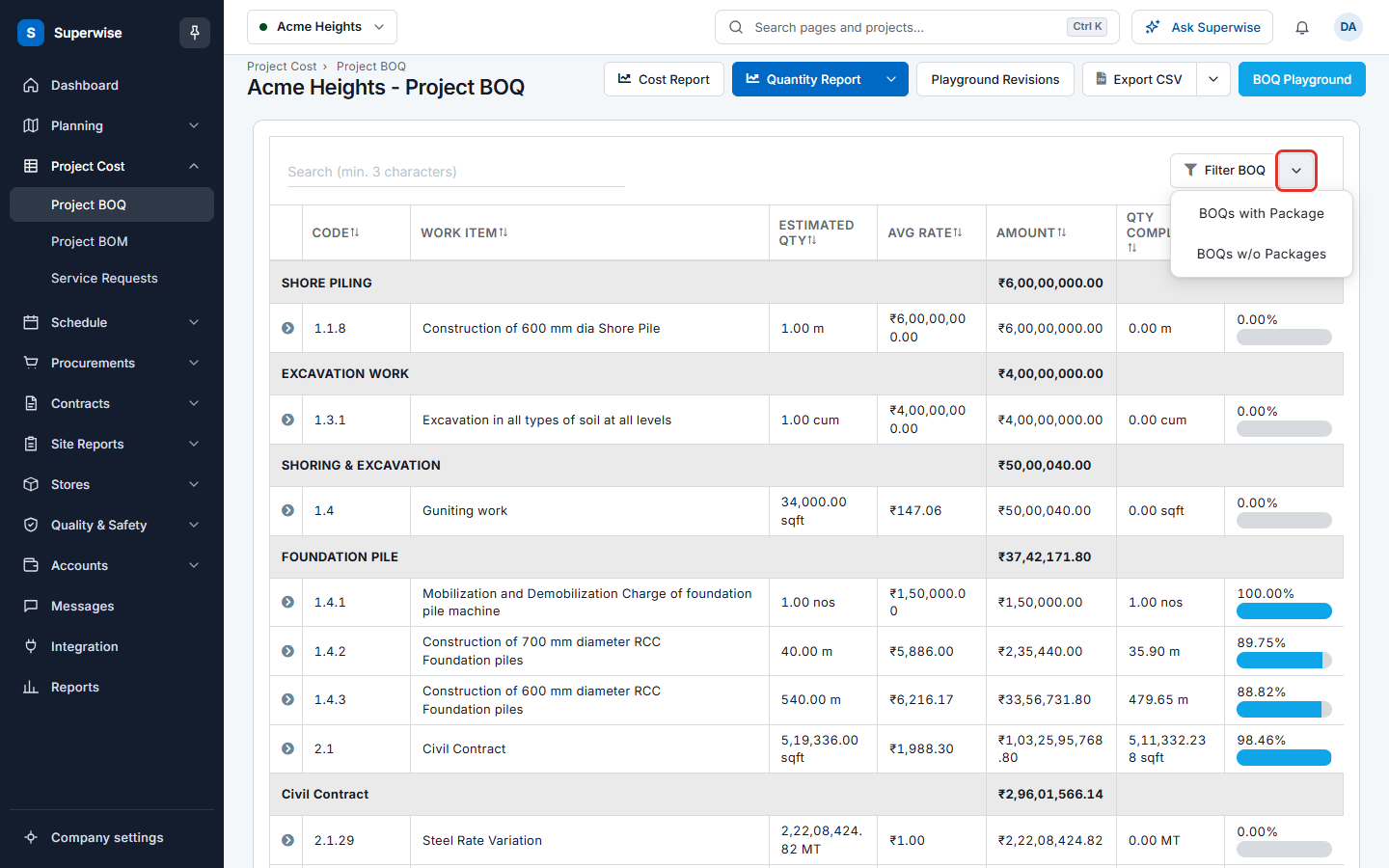
- Open Project Cost > Project BOQ.
- Click the arrow next to Filter BOQ (mark 1).
- Choose BOQs with Package to open Packagewise Project BOQ. Choose BOQs w/o Packages to open BOQs Without Package.
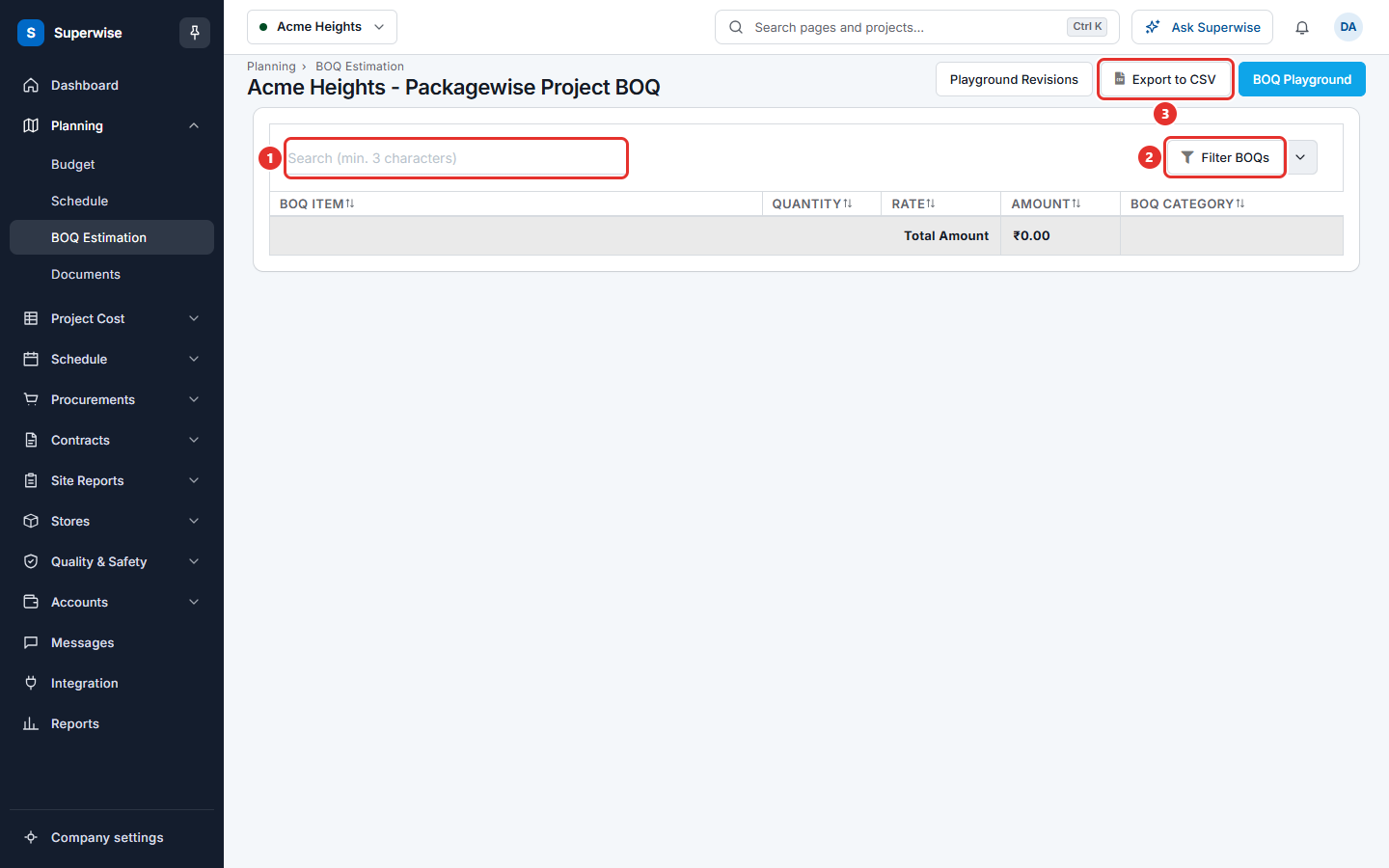
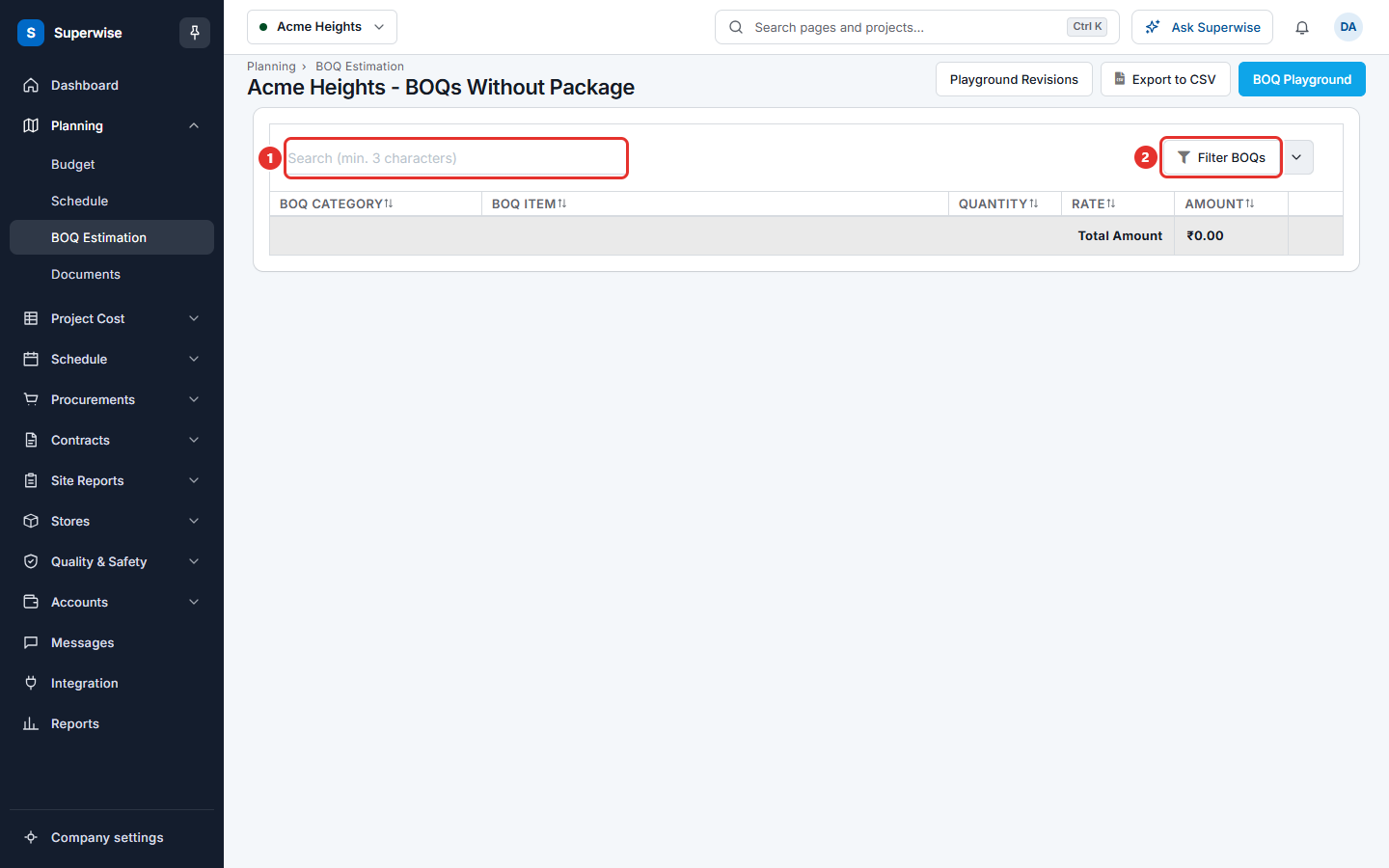
Each page opens in a new browser tab. On either page, the button Filter BOQs lets you move to the other page or back to the project BOQ. It is marked 2 in the pictures below.
How to read the packagewise BOQ
- Open BOQs with Package.
- Each package is one group row. Click the arrow at the start of its name to open or close the items.
- To find an item, type at least 3 characters in Search (min. 3 characters).
- Click Export to CSV to download the table.
How to find the BOQ items without a package
- Open BOQs w/o Packages.
- Each template is one group row. Click the arrow to open its items.
- People who may edit see a button in the row of each item. Hover over it to read Template Task. Click it to open the tasks of the template in a new browser tab.
What the columns mean
| Name | What it means |
|---|---|
| BOQ Item | The code and name of the BOQ item. |
| Quantity | The estimated quantity, with its unit. |
| Rate | The rate of the item. |
| Amount | The quantity multiplied by the rate. |
| BOQ Category | The category of the item. On BOQs Without Package this column comes first. |
People without the Add or Edit permission do not see Rate and Amount.
Rules to know
- Both pages are read only.
- The group row shows the total amount of the group to people who may add or edit. The last row, Total Amount, shows the total of all items on the page.
- The buttons BOQ Playground and Playground Revisions open the tools of BOQ estimation.