


Machinery usage logs
See the log entries of machinery on a project, with hours, fuel and output, and edit or delete an entry.
- Where to find it
- Machinery Usage Logs
- Who can use it
- People who have the View Equipment Rentals permission. Editing needs Edit and deleting needs Delete.
A machinery usage log entry records one period of work of a machine. It has the start, the end, the fuel used and the output. The screen Machinery Usage Logs lists the entries of the project that is chosen at the top of the screen.
Before you start
- A project must exist, and you must be a member of it.
- The machine must exist in Superwise. This page has no button to create an entry.
How to find a log entry
- Open Machinery Usage Logs.
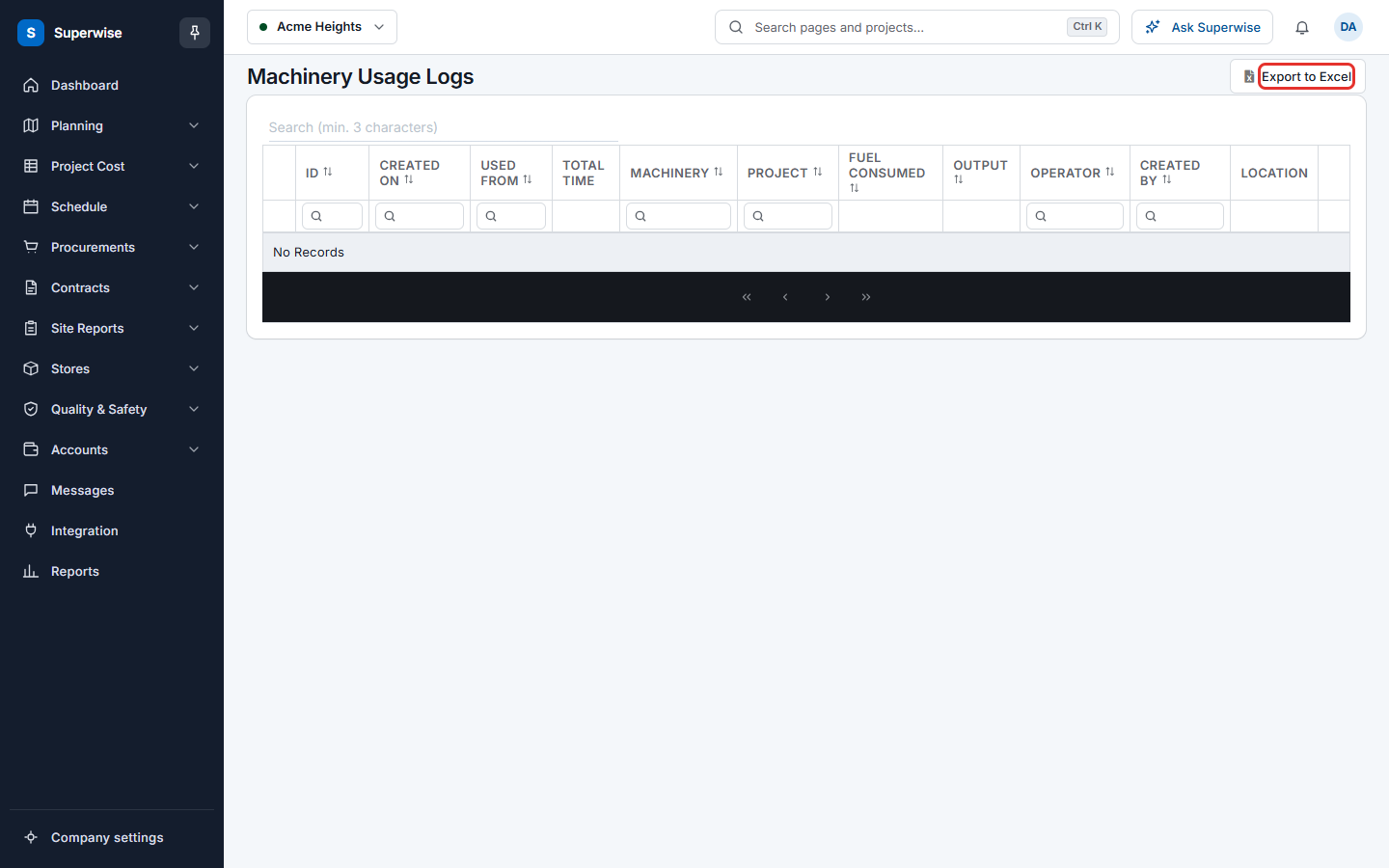
- To search, type at least 3 characters in the search box.
- To filter, type in the box under a column name. The columns Created On and Used From take a date range.
- Click Export to Excel (mark 1 in the picture below) to download the rows that match your filters.
- To see the pictures of an entry, click the arrow at the start of the row.
How to edit a log entry
- At the end of the row, click the three dots. A small menu opens.
- Click Edit. The form Machinery Log Entry opens.
- Change Used From, Used Till, Machinery, Operator, Output or Fuel. Used From, Used Till, Machinery, Output, Fuel and Created By are required.
- In Remarks, type a new remark. Superwise adds it to the earlier remarks, which are shown under Previous Remarks:.
- Click Save. To leave without saving, click Back to List.
How to delete a log entry
- Click the three dots at the end of the row.
- Click Delete.
- In the dialog Delete Equipment Log Entry, read Delete this equipment log entry? and click Delete.
What the columns mean
| Name | What it means |
|---|---|
| ID | The number of the entry. |
| Created On | The date and time the entry was created. |
| Used From | The date and time the work started. |
| Total Time | How long the machine worked. |
| Machinery | The machine. |
| Project | The project. |
| Fuel Consumed | The fuel used. |
| Output | The work done, in the unit of the machine. |
| Operator | The name of the operator. |
| Created By | The user who created the entry. |
| Location | The place where the entry was made. Click it to see the place on a map. |