


Schedule summary
Get the material consumption forecast and the material variation report of a project as a PDF or Excel file.
- Where to find it
- Reports
- Who can use it
- People who have the Add Reports permission.
These two reports help you plan materials for a project. The material consumption forecast looks ahead. It uses the schedule and the materials of the project and forecasts by week or by month. The material variation report looks back and compares the material bought with the material planned.
For example, Acme Heights plans 200 tonnes of steel in the bill of quantities (BOQ). The variation report shows how much steel was bought compared with that plan. The consumption forecast shows how much steel the next months need.
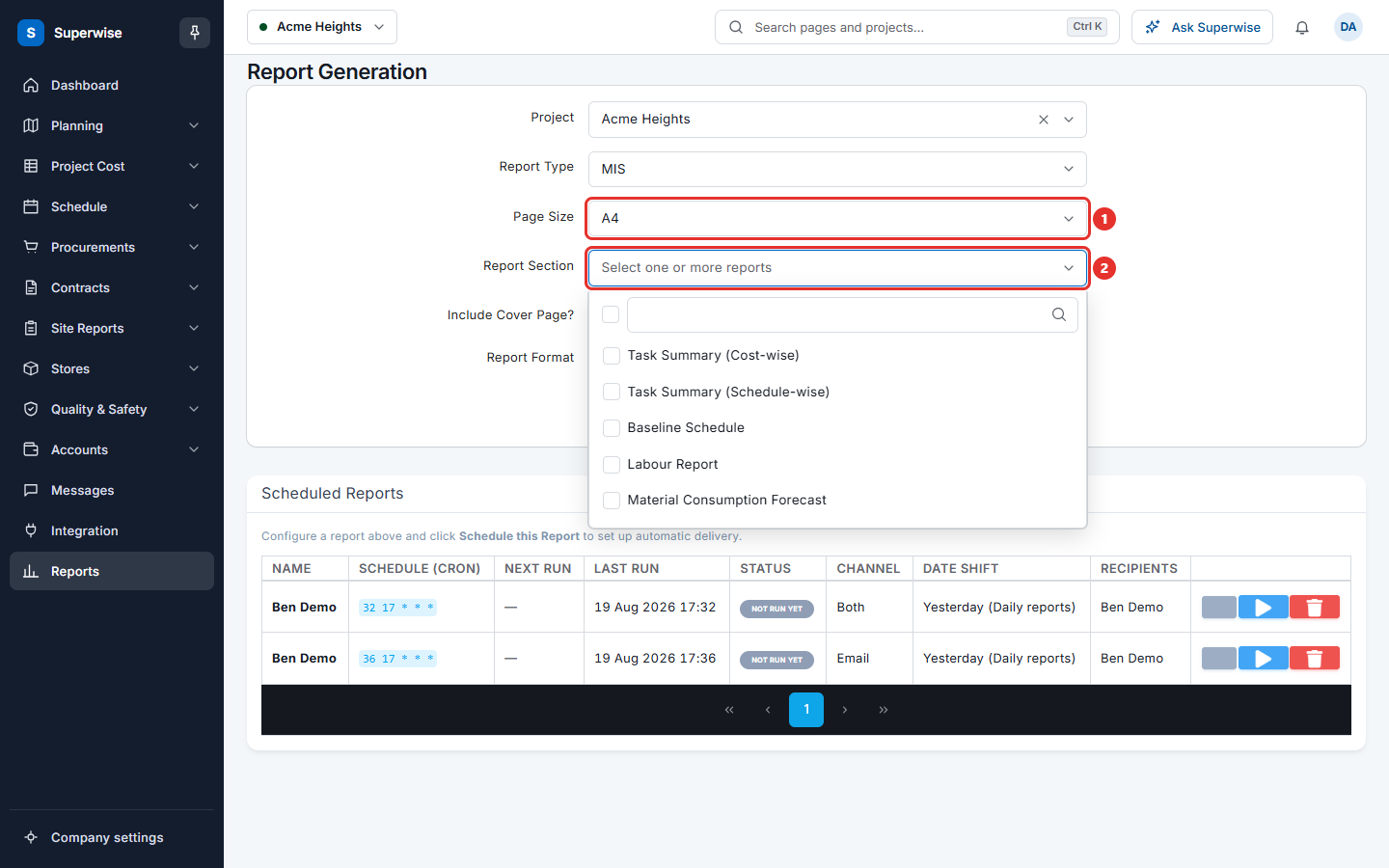
Both reports are sections of the MIS report in size A4.
Before you start
- The project must have a schedule, and the materials must be set in the project.
- Site staff must have entered deliveries, so that the report has something to compare.
- You need the Add permission on Reports.
How to get the material consumption forecast
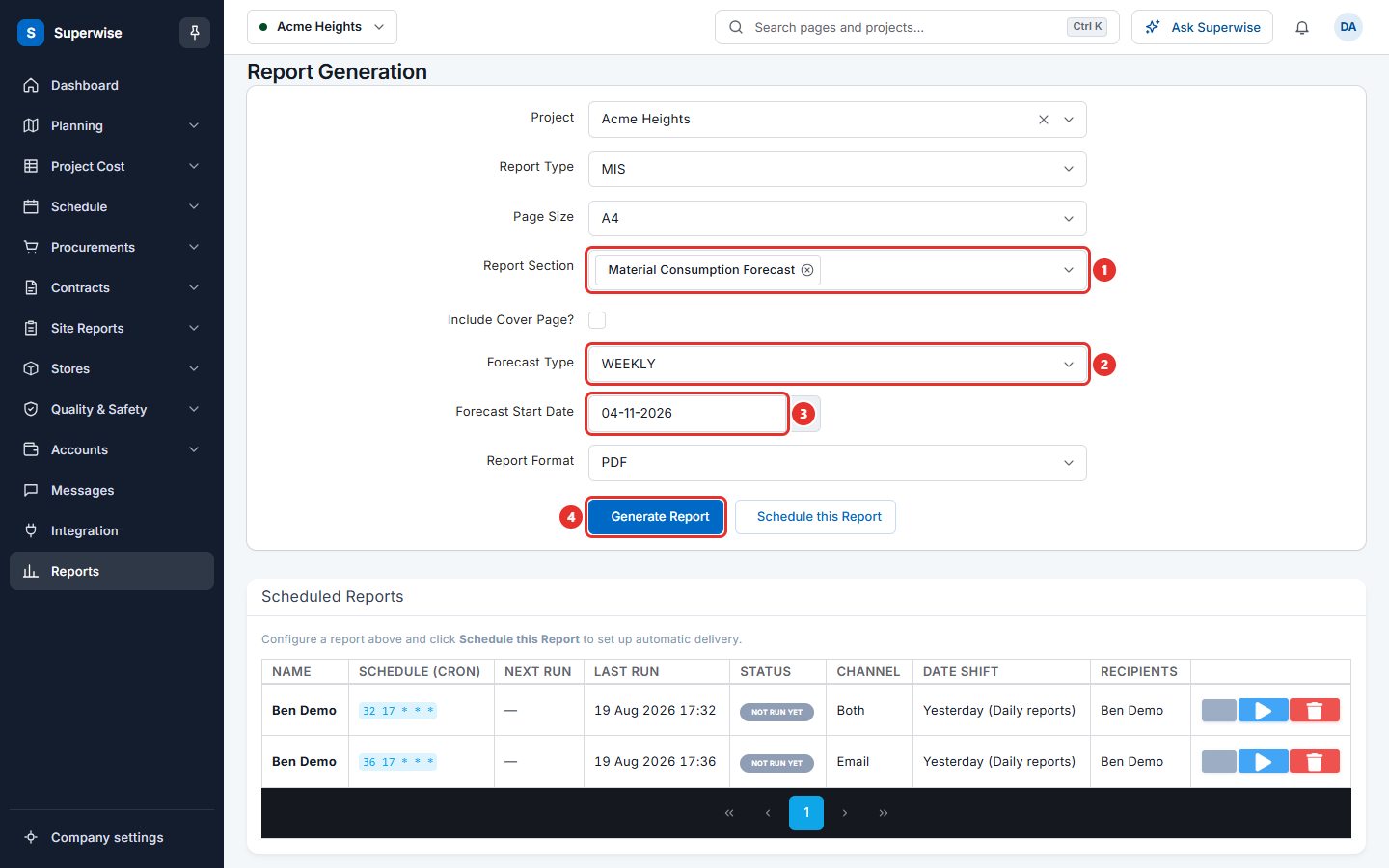
- Click Reports in the left menu.
- In Project, choose the project.
- In Report Type, choose MIS.
- In Page Size, choose A4.
- In Report Section, choose Material Consumption Forecast (mark 1). You can choose more than one section.
- In Forecast Type, choose WEEKLY or MONTHLY (mark 2).
- In Forecast Start Date, choose the first day of the forecast (mark 3). It must be after today.
- Tick or clear Include Cover Page?.
- In Report Format, choose PDF or XLS.
- Click Generate Report (mark 4).
How to get the material variation report
- Follow steps 1 to 4 above.
- In Report Section, choose Material Variation Report.
- Tick or clear Include Cover Page?. Choose Report Format.
- Click Generate Report.
This report has no date fields.
Other material reports in the same list
| Report Section | What it is for |
|---|---|
| Material Procurement Schedule | When to buy materials. It asks for Forecast Type and Forecast Start Date like the consumption forecast. |
| Unplanned Material Purchases | Materials bought that are not in the plan. |
How to get the report every month without opening the screen
- Fill the form as above.
- Click Schedule this Report.
- Choose the people, the Frequency and the Date Shift.
See Schedule a report.
Rules to know
- The forecast always starts after today. You cannot forecast the past.
- Forecast Type is WEEKLY or MONTHLY. It sets the step of the forecast.
- You can choose several A4 sections in one request.
If something goes wrong
| What you see | What to do |
|---|---|
| Forecast Type and Forecast Start Date are missing. | They show only for Material Consumption Forecast and Material Procurement Schedule. Check Report Section. |
| The generated Report does not contain any data | Check that the project has a schedule and that materials are linked to its tasks. |
| An error occurred while generating the report. Please try again later | Try again. If it fails again, tell your administrator. |