


Bulk add equipment rentals
Enter many equipment rental records at once in a sheet, or paste them from Excel, and save them in one step.
- Where to find it
- Site Reports > Equipment Rentals
- Who can use it
- People who have the Edit Equipment Rentals permission.
Use Bulk Add Rentals to enter rented equipment in a sheet. You type or paste the rows. One click saves all of them. The list Equipment Rentals has no Create button, so this sheet is the way to add rentals on the web.
Before you start
- You need the Edit permission for equipment rentals.
- The projects, suppliers and machines must exist in Superwise. The names in the sheet must be the same as in Superwise.
How to bulk add rentals
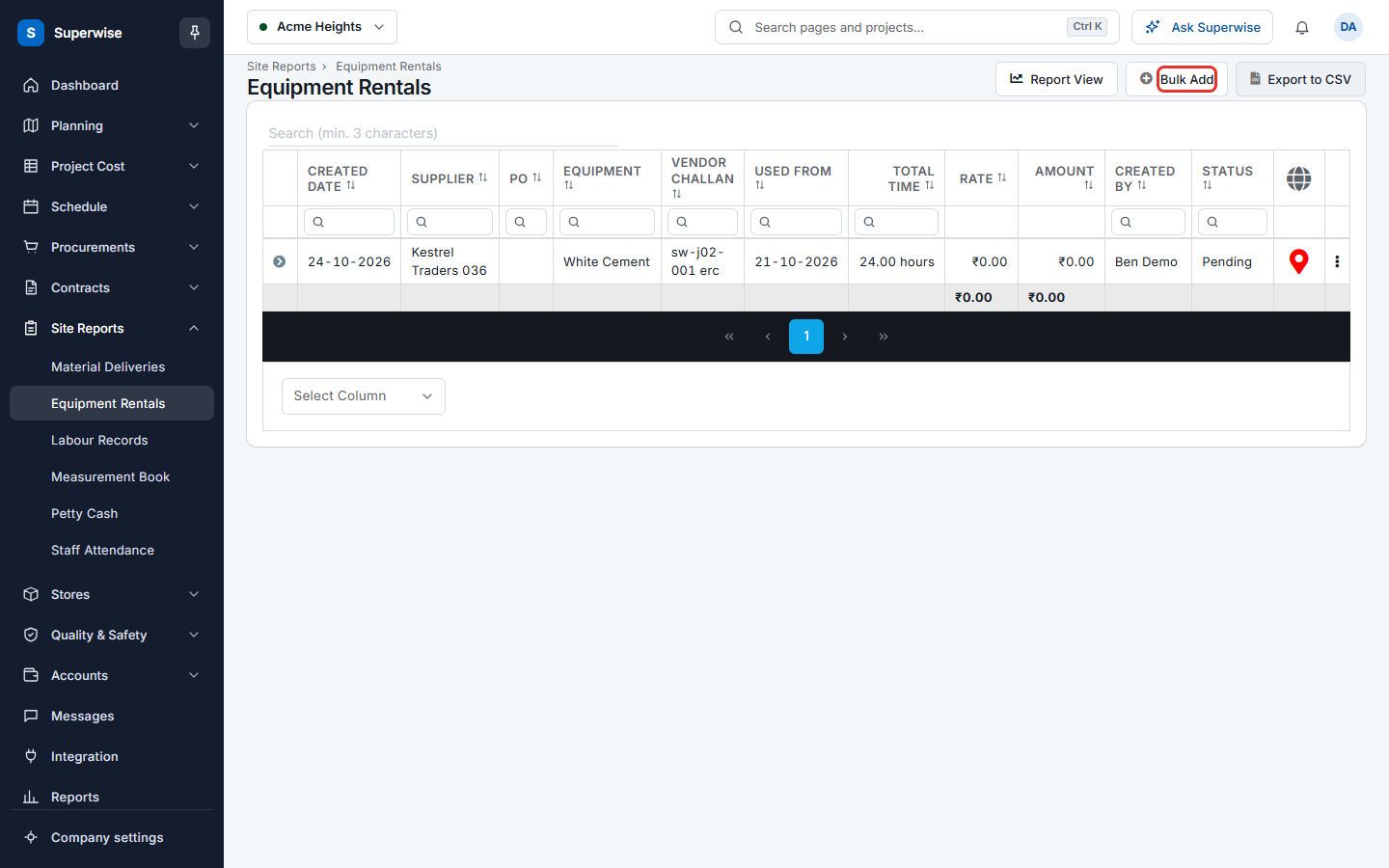
- Open Site Reports > Equipment Rentals.
- Click Bulk Add (mark 1 in the first picture below). The button is shown only to people who can edit.
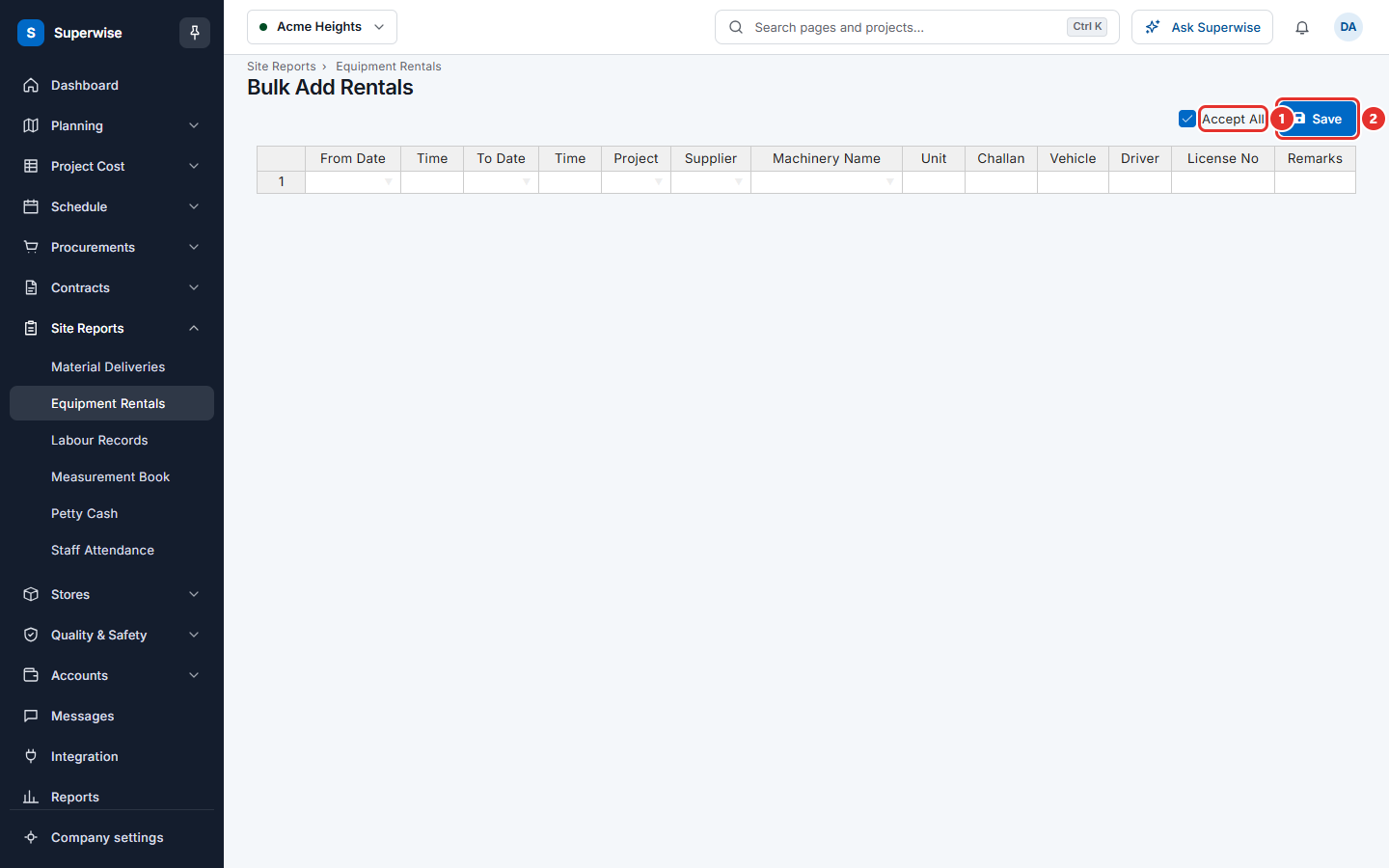
- Fill one row for each rental. In the columns Project, Supplier and Machinery Name, choose the name from the list. You can also paste rows that you copied from Excel.
- Fill in the usage period. Use From Date and the first Time for the start. Use To Date and the second Time for the end. The end must be after the start.
- Fill in Challan. Fill in Vehicle, Driver, License No and Remarks if you have them.
- Keep Accept All (mark 1 in the second picture below) ticked if the rentals must be accepted as you save. Clear the tick to save them as Pending.
- Click Save (mark 2).
If the save works, Superwise opens the list Equipment Rentals.
What the columns mean
| Name | What it means |
|---|---|
| From Date, Time | When the use started. |
| To Date, Time | When the use ended. |
| Project | The project. Required. |
| Supplier | The supplier of the equipment. Required. |
| Machinery Name | The machine. Required. |
| Unit | The unit of the machine. You cannot change it. |
| Challan | The supplier's challan number. Required. |
| Vehicle | The vehicle number. |
| Driver | The name of the driver. |
| License No | The licence number of the driver. |
| Remarks | A comment about the rental. |
Rules to know
- Every row needs a Project, a Supplier, a Machinery Name, a Challan and a usage period that ends after it starts.
- If one row is wrong, the page shows one line for each wrong row.
- If you leave the page with rows that are not saved, the page asks you first.
If something goes wrong
| What you see | What to do |
|---|---|
| Please ensure to enter Project, Vendor, Machinery Name, Challan, Usage Period (From < To) for all records. | Fill these columns in every row. Check that the end of the period is after the start. |
| An error has occurred. Please try again later | Wait a moment and try again. If it stays, tell your administrator. |