


BOQ revisions
See the draft and the approved versions of the project BOQ, with the planned cost, who changed the status, and the remarks and files of each version.
- Where to find it
- Project Cost > Project BOQ
- Who can use it
- People who have the View Project BOQs permission. The row menu of the draft needs the Add, Edit or Approve permission.
A bill of quantities (BOQ) is the list of work items with quantity and rate for a project. When you change the BOQ and an approver accepts the change, Superwise keeps the result as a revision. This page lists the revisions of the project. It also lists the draft, which is the set of changes that wait for approval.
The page is called BOQ Playground Revisions on the screen.
Before you start
- Choose the project in the project list at the top of the screen.
How to open the revisions
Open the page from one of these places:
- On Project Cost > Project BOQ, click Playground Revisions.
- On Planning > BOQ Estimation, click Actions and choose Revision History.
How to read the list
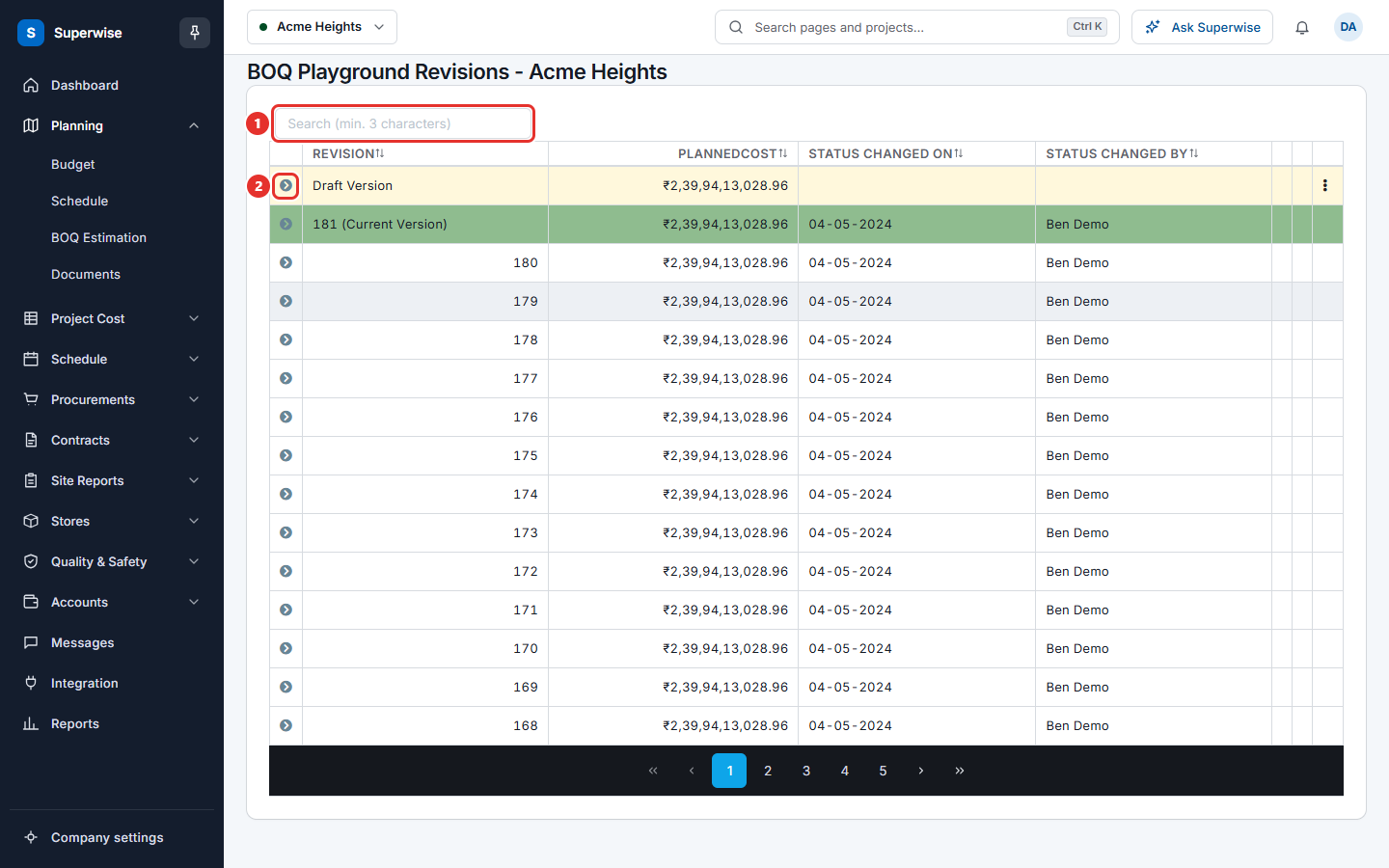
- Find the draft. Its row has a light yellow colour and Draft Version in Revision.
- Find the current version. Its row has a green colour and a revision number followed by (Current Version).
- To find a revision, type at least 3 characters in Search (min. 3 characters) (mark 1). The list shows 15 rows a page. Use the page buttons under the list.
- To read the details, click the arrow at the start of a row (mark 2).
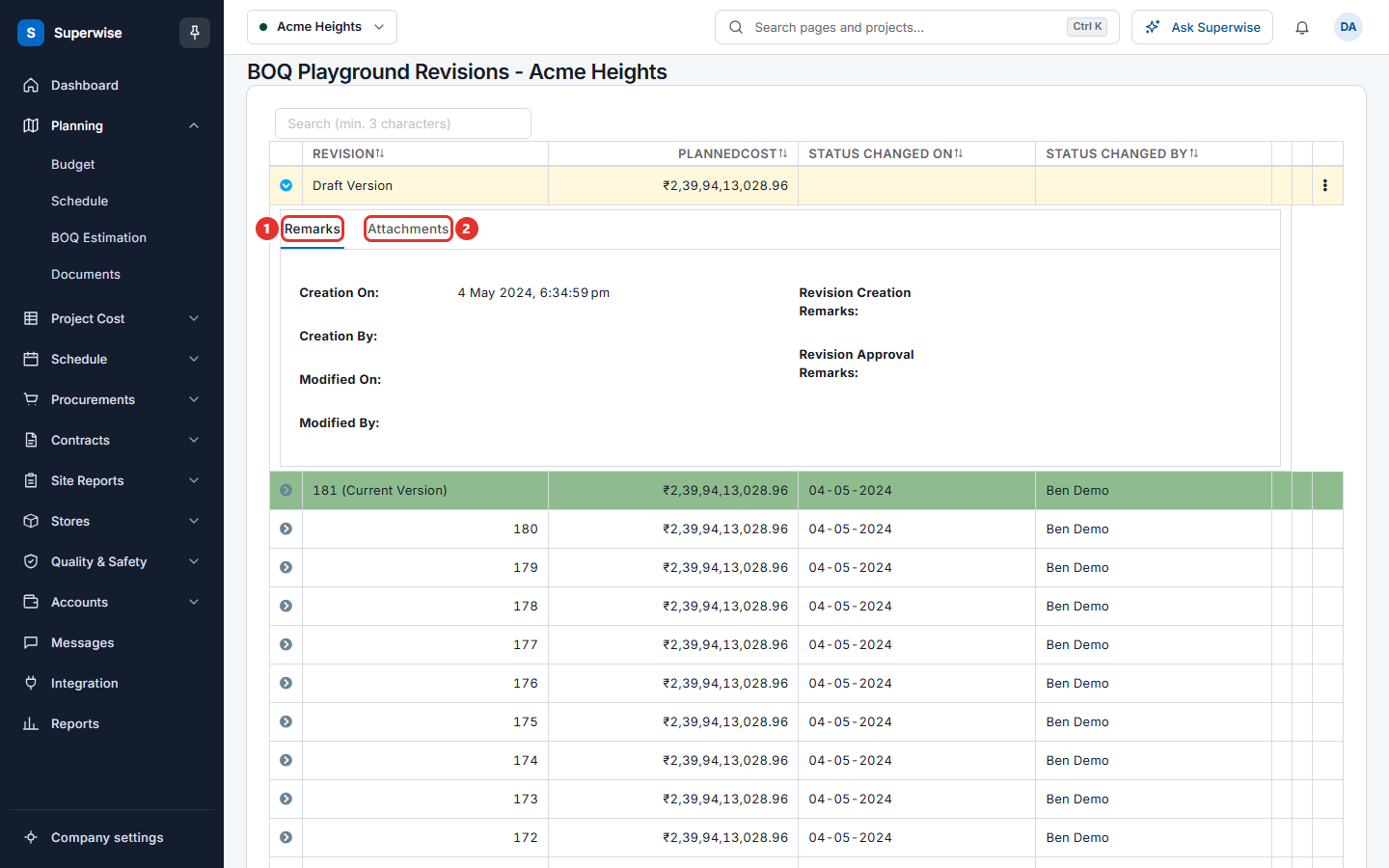
The panel under a row has two tabs.
- Remarks shows Creation On, Creation By, Modified On, Modified By, Revision Creation Remarks and Revision Approval Remarks.
- Attachments has one Download button for each file that came with the approval request.
How to go from the draft to its summary
- Click the menu icon at the end of the Draft Version row. Only the draft has this icon.
- Click Summary if you add or edit BOQs. Click Approve/Reject if you can approve.
The summary page opens. See Approve BOQ changes.
What the columns mean
| Name | What it means |
|---|---|
| Revision | Draft Version, or the number of the revision. The current approved revision has (Current Version) after its number. |
| PlannedCost | The planned cost of the BOQ in that version. |
| Status Changed On | The date the status of the version last changed. |
| Status Changed By | The person who changed the status. |
Rules to know
- You cannot edit a revision. You can only read it.