


Document purposes
Set up the list of reasons for which a document is shared, such as For approval or For construction.
- Where to find it
- Company settings > Planning > Document Purposes
- Who can use it
- People who have the View Other Masters permission. You also need the View Documents permission to see the menu item.
A document purpose says why a document is on the project. Examples are For approval, For construction and As built. You create the list once. Later, when someone uploads a document to a project, they choose one purpose from this list in the Purpose field.
Before you start
Nothing is needed first. You can add purposes at any time.
How to add a purpose
- Open Company settings > Planning > Document Purposes.
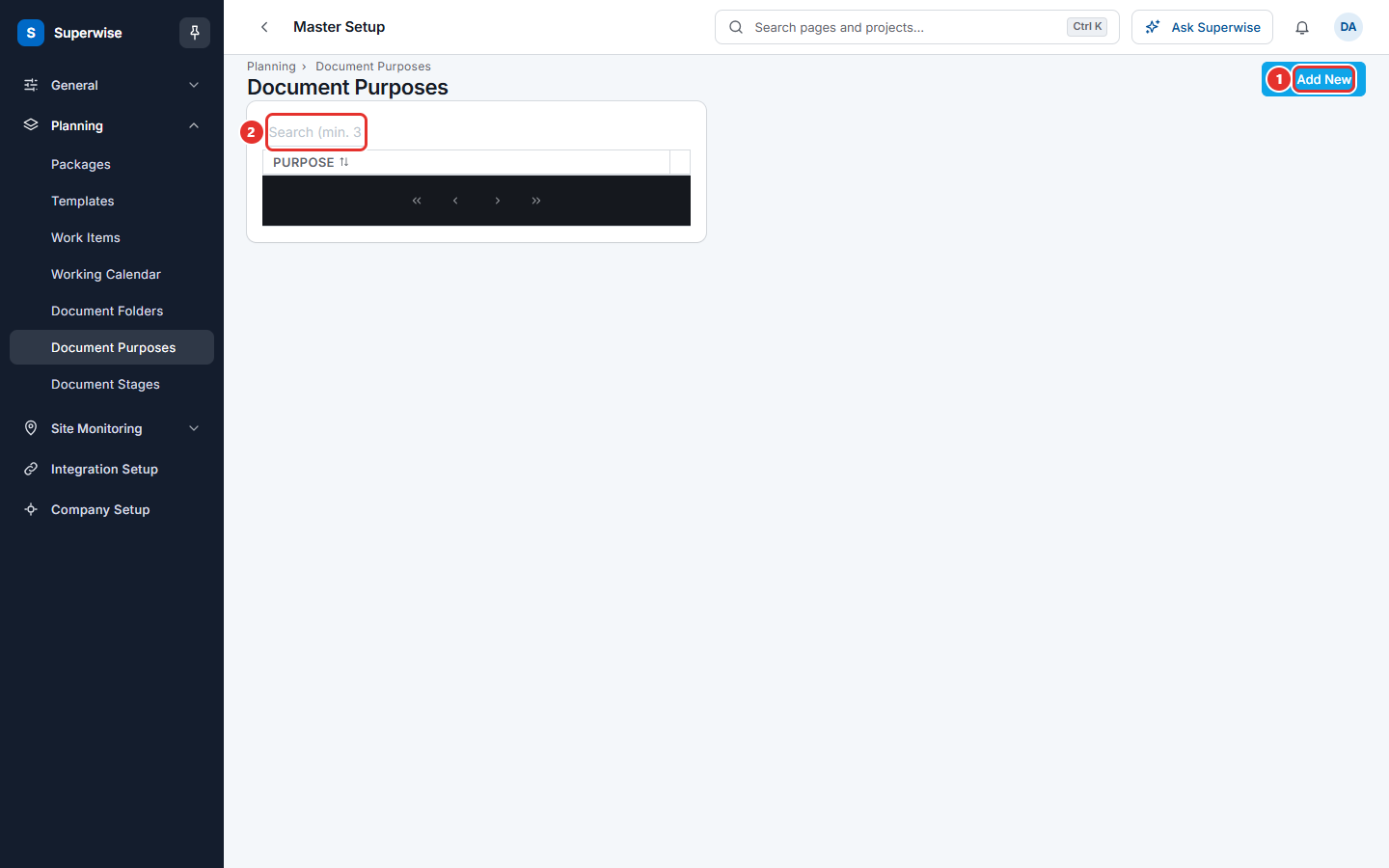
- Click Add New (mark 1 in the first picture).
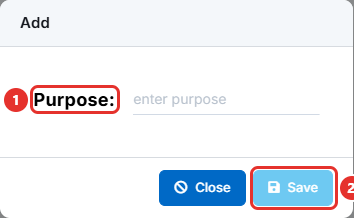
- Type the name in Purpose: (mark 1 in the second picture). For example,
For approval. - Click Save (mark 2). The button stays grey until you type a name.
How to edit or delete a purpose
- Click the three dots at the end of the purpose row.
- Click Edit, change the name, and click Save.
- Or click Delete and confirm the question.
Type at least 3 characters in Search (min. 3 characters) (mark 2 in the first picture) to find a purpose in a long list. Click the PURPOSE heading to sort.
What the columns mean
| Name | What it means |
|---|---|
| PURPOSE | The name of the purpose, as people see it when they upload a document. |
Rules to know
- A purpose name cannot repeat. The system shows Document Purpose cannot be repeated.
- You cannot delete a purpose that a document uses. The system shows Documents are present with this purpose. Open those documents and choose another purpose first.
- You see Edit only with the Edit permission and Delete only with the Delete permission.
If something goes wrong
| What you see | What to do |
|---|---|
| Document Purpose cannot be repeated | The name exists. Search the list and use the existing purpose. |
| Documents are present with this purpose. | Change the purpose on those documents, then delete again. |
| Document Purposes is not in the menu | Ask your administrator for the View Other Masters and View Documents permissions. |
Related pages
- Document stages: the second list a document uses.
- Document folders: where documents are stored.
- Planning masters: the order to set up the planning lists.