


Accept or reject a delivery
Check a material delivery and accept it so it can be billed, reject it, or resolve a flagged delivery.
- Where to find it
- Site Reports > Material Deliveries
- Who can use it
- People who have the Approve Material Deliveries permission. Resolving a flagged delivery needs the Edit permission.
A new material delivery challan (MDC) is Pending. An approver compares it with the supplier's challan and the material that arrived. The approver then accepts or rejects it. Only Accepted deliveries can go on a purchase bill.
Before you start
- You need the Approve permission for material deliveries.
- If the material needs a quality check, the check must be done first. The check is a checklist that is filled for the delivery.
- If the purchase order (PO) line needs a delivery schedule, the PO must have one with enough room.
How to accept a delivery
- Open Site Reports > Material Deliveries.
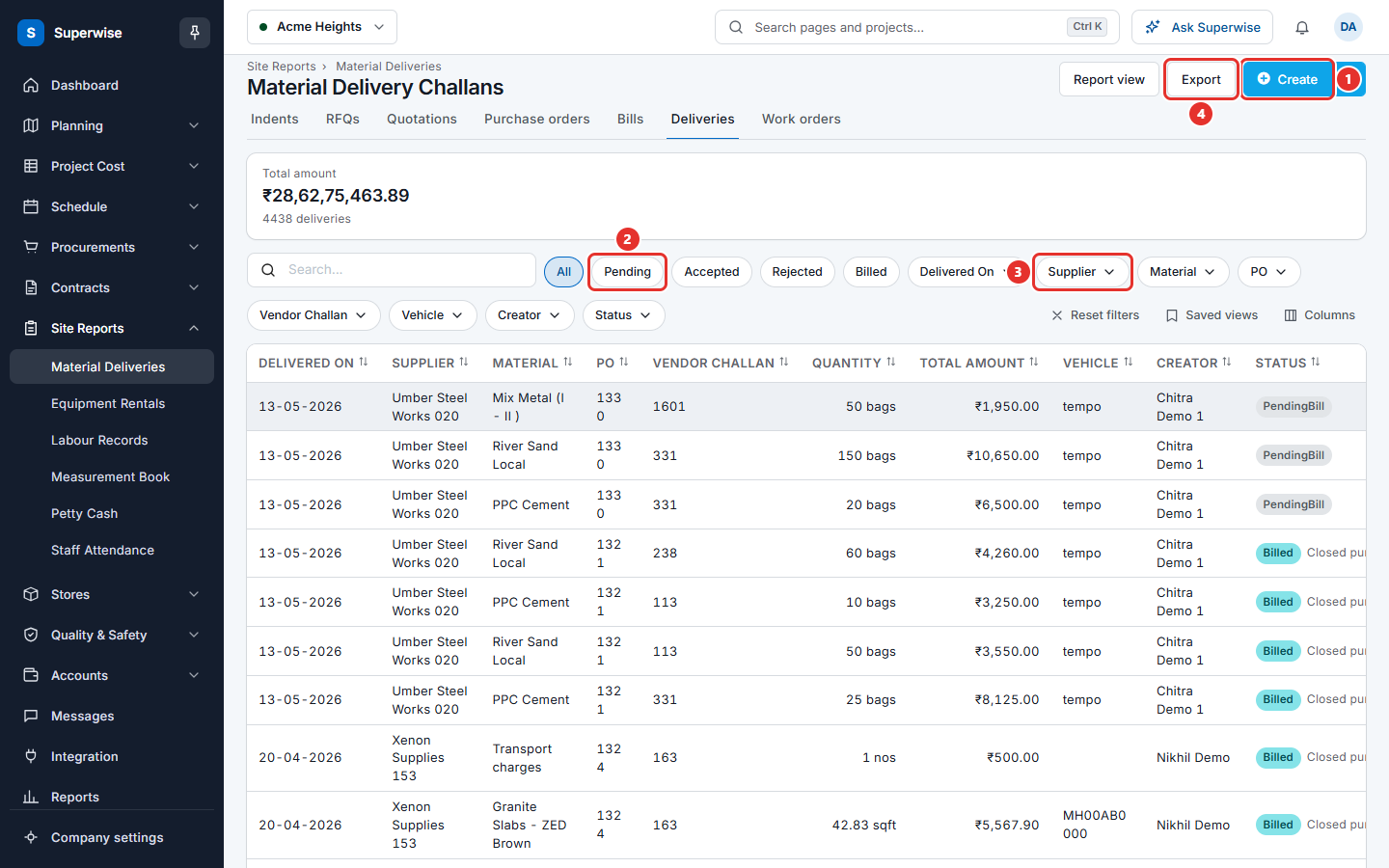
- Click the Pending button (mark 2 in the picture below) to see the deliveries that wait.
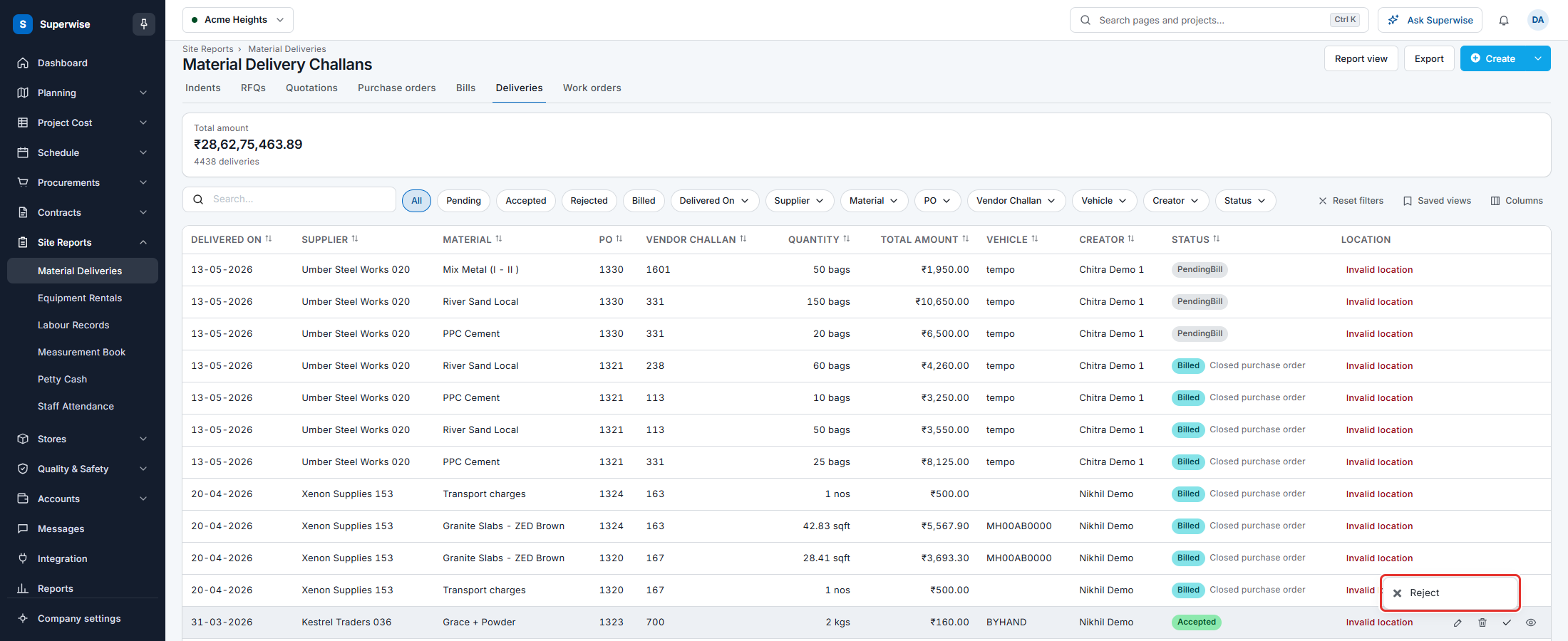
- Click the check mark icon at the end of the row. A small menu opens.
- Click Approve. The second picture below shows the menu (mark 1).
- In the dialog Confirm Action, read the text Confirm approve of the Delivery Challan?. Click Confirm.
- The message Delivery Challan successfully Approved! appears. The status is now Accepted.
You can also open the details of the delivery and click Approve at the top of the sheet.
How to reject a delivery
- Click the check mark icon at the end of the row.
- Click Reject.
- In the dialog Confirm Action, click Confirm.
- The message Delivery Challan successfully Rejected! appears. The status is now Rejected.
A rejected delivery stays in the list. You can accept it later, if the problem is solved.
How to unflag a delivery
A Flagged delivery is an unscheduled delivery. It is not on a delivery schedule of its purchase order. You cannot accept or reject it until it is unflagged.
- Click the check mark icon at the end of the row. You can also open the details and click Unflag.
- Click Unflag in the menu.
- In the dialog Confirm Action, click Confirm.
Superwise puts the delivery on the closest delivery schedule that still has room. It looks first at schedules dated today or earlier, then at later ones.
Rules to know
- You can accept a delivery that is Pending or Rejected.
- You can reject a delivery that is Pending or Accepted.
- Superwise does not accept a delivery that is already Accepted. It does not reject one that is already Rejected.
- A delivery that is linked to a closed purchase order cannot be rejected. Accepting it can be refused too.
- A delivery cannot be accepted when its purchase order is Pending or Rejected.
- When the PO line needs a delivery schedule, the delivery quantity and the quantity already delivered must fit in the schedule.
- A delivery cannot be rejected after its material is transferred.
- When the material needs a quality check, the delivery cannot be accepted before the check is completed. If the check needs approval, the check must be approved first.
If something goes wrong
| What you see | What to do |
|---|---|
| Material Delivery is already accepted | The delivery is done. No action is needed. |
| Linked Purchase Order should not be in Pending or Rejected state | Ask the buyer to approve the purchase order first. |
| Material Delivery linked to Closed Purchased Order item cannot be approved | The purchase order is closed. Ask the buyer to open it again. |
| Material Delivery is unscheduled. The message asks you to record a delivery schedule in the purchase order. | Open the purchase order, add a delivery schedule, and try again. |
| Delivery Quantity is more than quantity available in Delivery Schedule. | Raise the schedule quantity in the purchase order, or edit the delivery quantity. |
| Material Delivery requires quality check to be completed | Complete the quality checklist for the delivery. |
| Material Quality has not been accepted yet | Ask the named approvers to accept the quality check. |
| Cannot reject. The materials of this delivery are already transferred. | You cannot reject this delivery. |