


Material consumption
See the material that contractors used on site, open the details of each record, and delete a record.
- Where to find it
- Stores > Material Consumption
- Who can use it
- People who have the View permission on Material Consumption. Adding needs Add. Deleting needs Delete.
A material consumption record says how much material a contractor used, and for which task. For example, a masonry contractor used 30 bags of cement on the blockwork task of Acme Heights. The record compares what was used with the plan, so you can see if the contractor uses more material than expected.
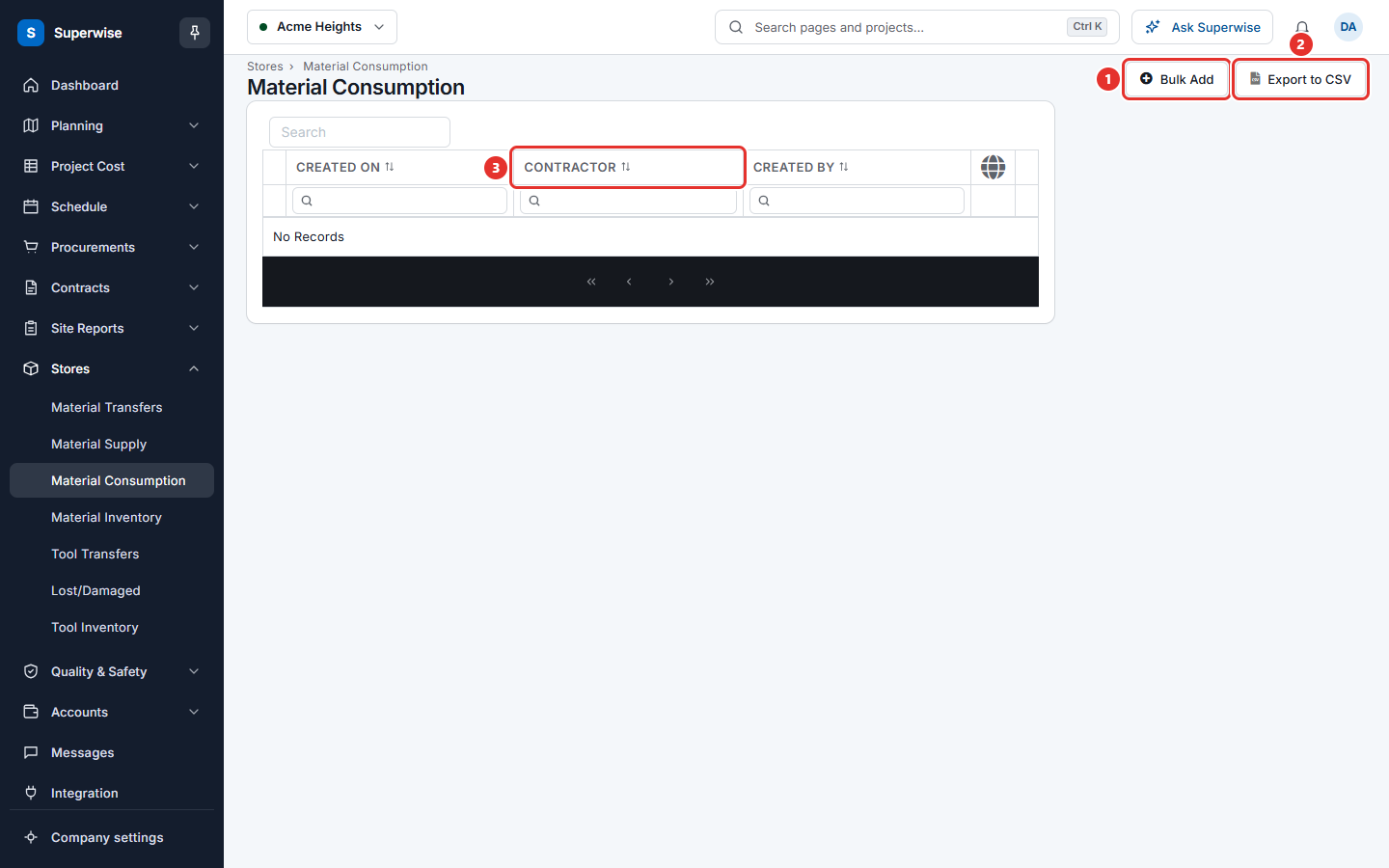
This screen lists the consumption records of the project you have selected. You add new records with Bulk Add.
Before you start
- Select the project in the project selector at the top of the screen.
- To add a record, the contractor must have received material. See Material supply.
- The project needs a schedule with tasks and a bill of quantities (BOQ), because you link each quantity to a task BOQ.
How to find a record
- Open Stores > Material Consumption.
- Use the Search box, or the filters under CREATED ON, CONTRACTOR and CREATED BY.
Click Export to CSV to save the list as a file. The file follows the filters you set.
How to read the details of a record
Click the arrow at the start of a row. Two tabs open:
- Other Details: one line for each material, with Work Item, Task Title, Resource, Qty and Is Credited ?.
- Comments: the remarks written when the record was saved.
The globe column at the end of the row shows a map pin. Click it to open the place where the record was saved. A red pin means the place is not valid.
How to add records
Click Bulk Add. The form opens in a new browser tab. See Add material consumption in bulk.
How to delete a record
- Click the three dots at the end of the row.
- Choose Delete.
- Click Confirm in the Confirm Action box.
The system removes the record with its lines and with the credit notes that the record created.
Warning: You cannot undo a delete.
What the columns mean
| Name | What it means |
|---|---|
| CREATED ON | The date of the consumption. |
| CONTRACTOR | The contractor who used the material. |
| CREATED BY | The person who saved the record. |
Rules to know
- The list shows records of the selected project only.
- The three-dot menu appears only for people who have the Delete permission.
- A line marked Is Credited ? has a credit note for the contractor. See Add material consumption in bulk.
If something goes wrong
| What you see | What to do |
|---|---|
| No Records | Check the project selector and the filters. |
| There is no Bulk Add button | Ask your administrator for the Add permission on Material Consumption. |
| A warning appears in the Confirm Action box | Read the message. The system did not delete the record. |